AI Bikini Try-On for Swimwear Merchandising & Previews
Upload a model or personal photo plus a bikini or swimsuit reference—or pick a silhouette—to preview cuts and seasonal colorways without reshooting every SKU.
BeforeAfter
Example · drag to compareUpload to try it on your photo
Swimwear catalog try-on previews
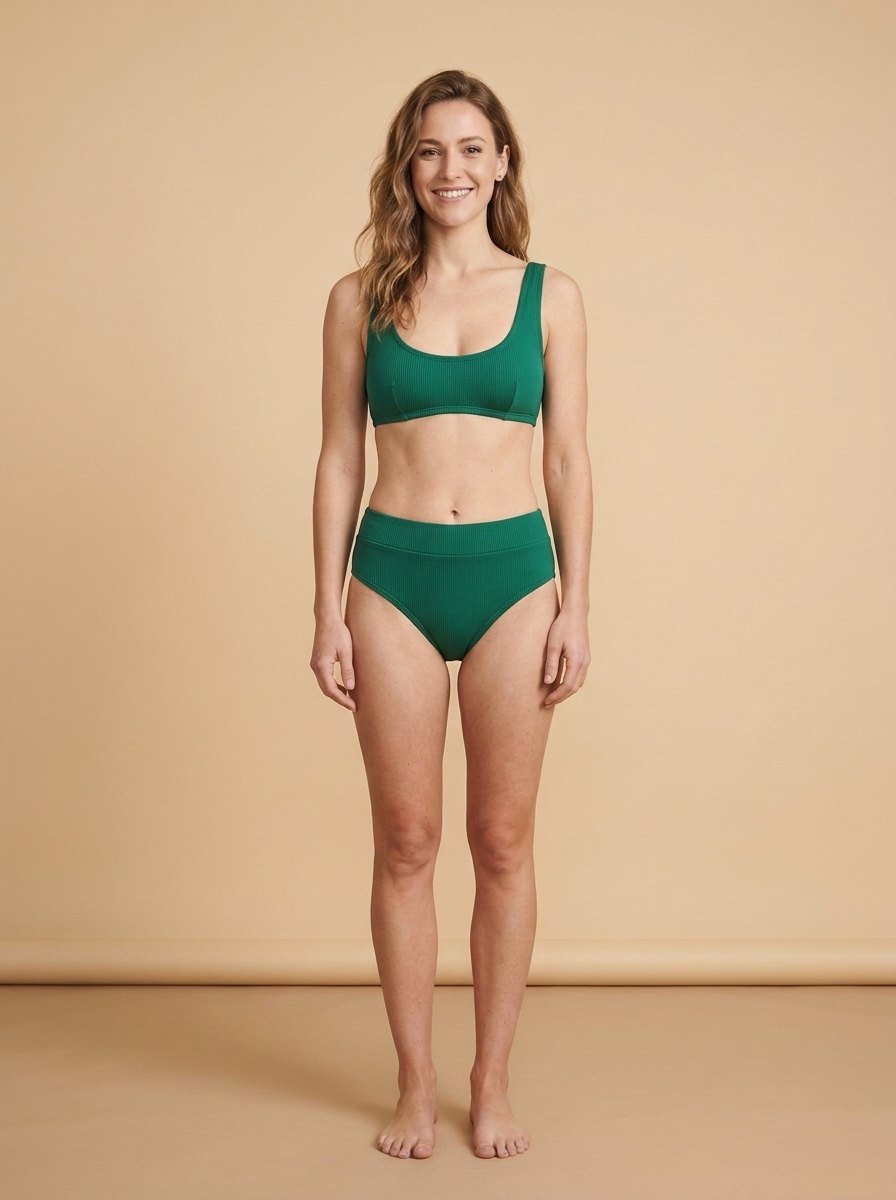
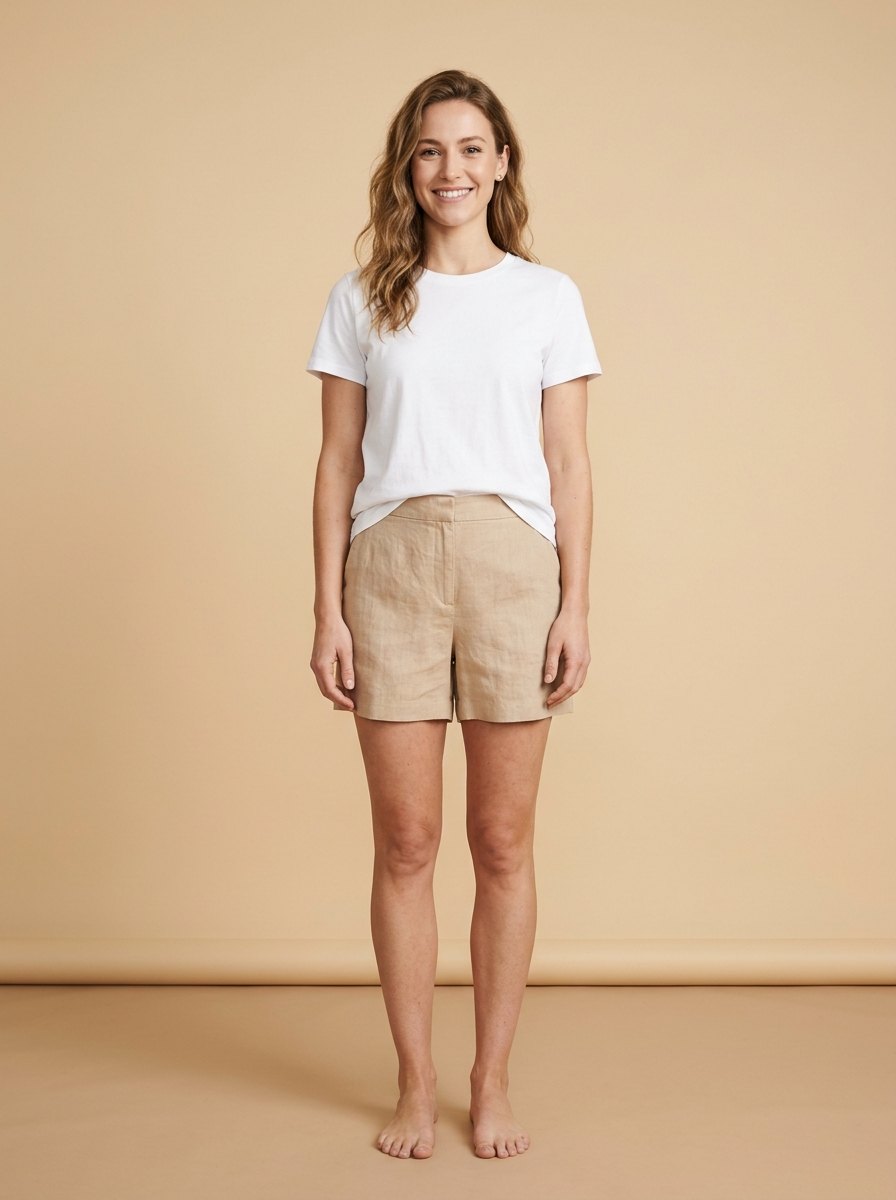
One studio model base, three brand-safe swimwear silhouettes: a product flat lay transferred onto the model, a seasonal coral halter colorway, and a classic navy one-piece SKU. Drag the slider to compare.
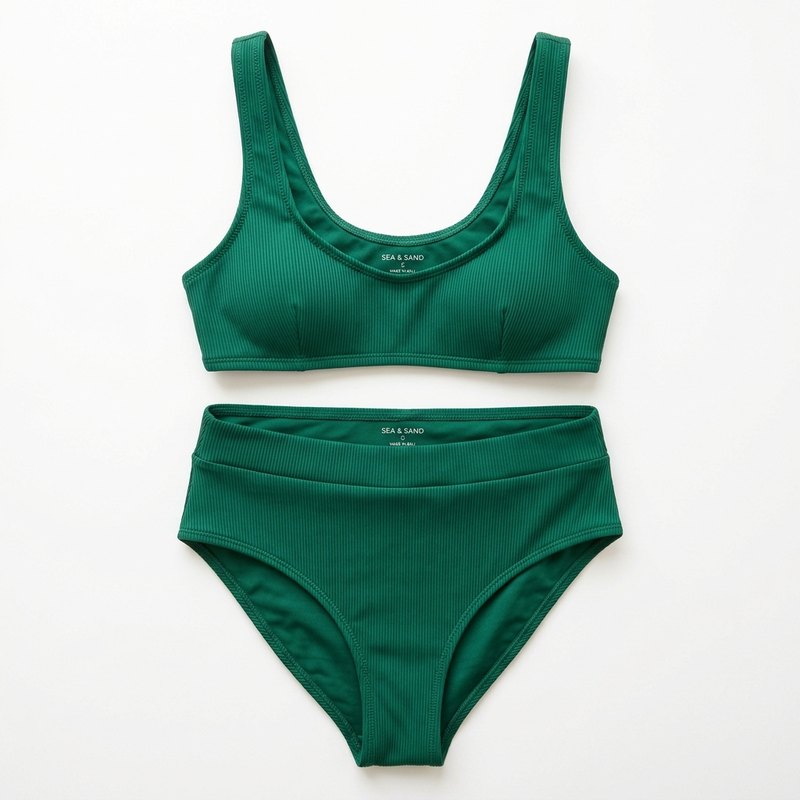
A studio flat lay of an emerald green ribbed high-waisted bikini applied to the model base. Face, hair, lighting and studio backdrop stay intact.
BeforeAfter
Illustration
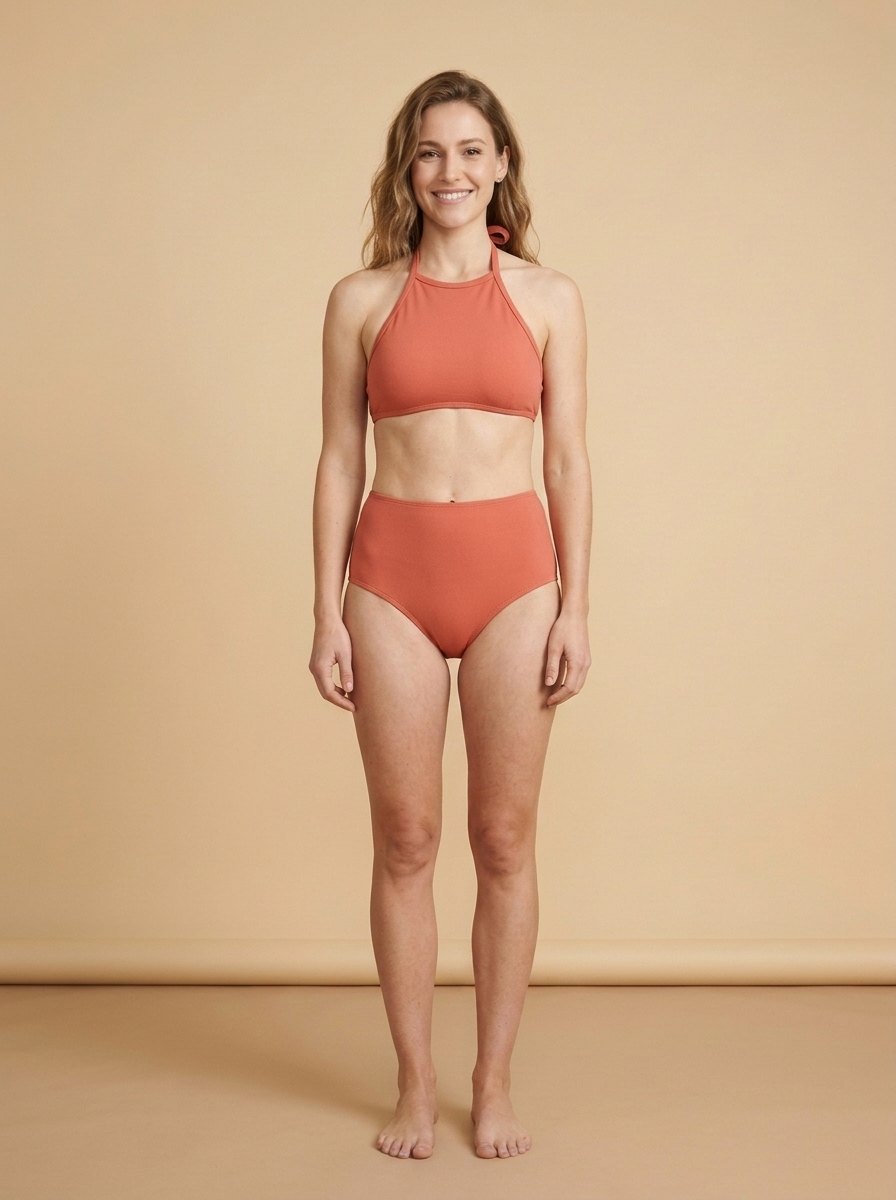
Seasonal colorway · terracotta coral halter
Preview a warm-weather halter silhouette and coral colorway on the same base shot before booking another studio or beach shoot.
BeforeAfter
Illustration
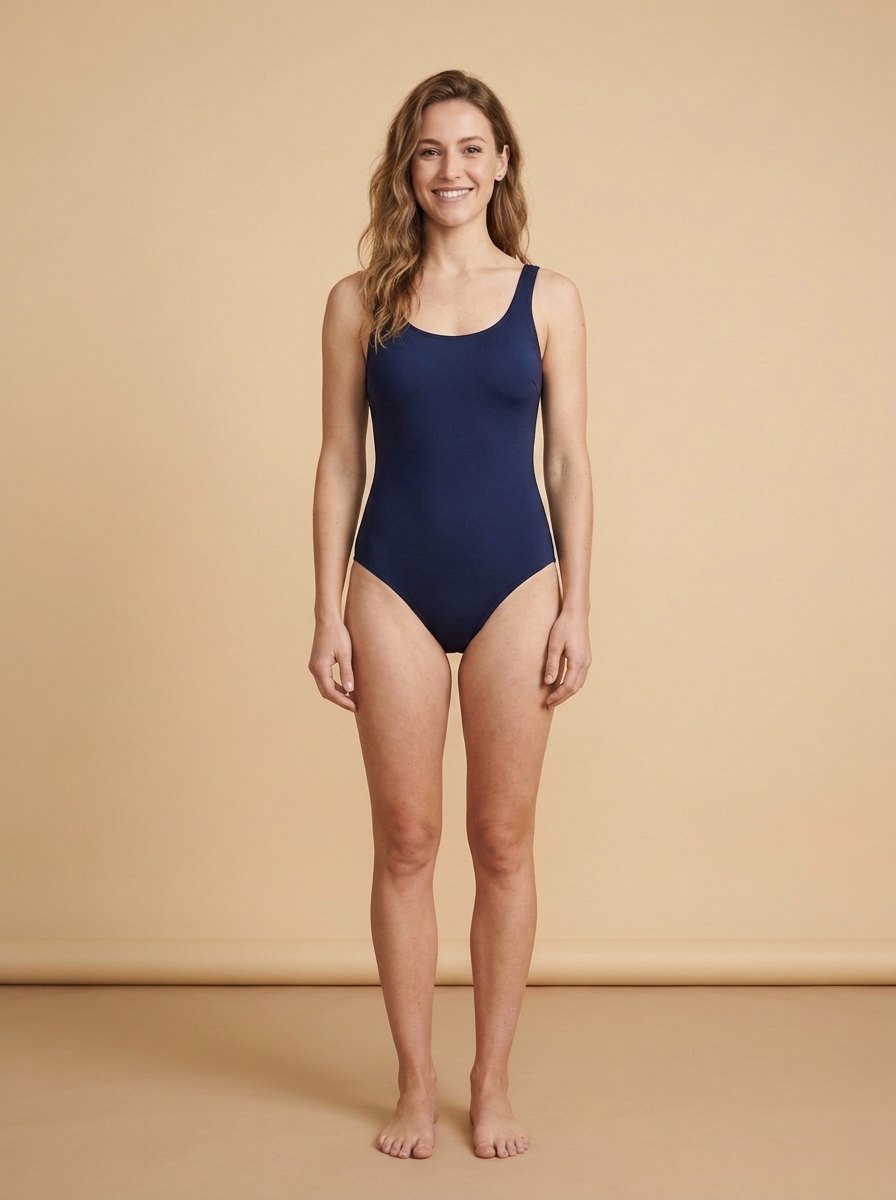
One-piece SKU · classic navy swimsuit
Switch between two-piece separates and classic one-piece swimwear in the same workflow for consistent PDP and lookbook grids.
How to preview bikinis and swimwear in 3 steps
Step 1
Add a bikini or swimsuit reference
Upload a product flat lay, ghost mannequin shot, or style photo of a bikini or one-piece swimsuit—or pick one of the 6 preset silhouettes or describe a custom colorway.
Step 2
Upload a model or personal photo
Choose a clear, front-facing full-length or three-quarter photo with natural posture and even light. Pick Standard, Pro (2K), or HD (4K), and optionally generate 2 or 4 variants at once.
Step 3
Compare and export merchandising visuals
Drag the before/after slider to check straps, neckline, and colorway balance, then download clean previews for PDP listings, seasonal lookbooks, or personal style planning.
At a glance
Price
Standard 4 credits · Pro 6 credits
Free
1 photo a day without an account; 10 credits a day signed in
Files
JPEG, PNG, WebP, up to 15 MB
Watermark
None
Processing time
Usually under a minute
Your files
Deleted after 24 hours; kept 7 days in History when you're signed in
Account
Not needed to buy credits
Works on
Any browser on iPhone, Android, or a computer; no app to install
Last updated
What is AI bikini try-on for swimwear merchandising?
AI bikini try-on composites a bikini or one-piece swimsuit SKU onto an authorized model or personal photo so swimwear brands, ecommerce teams, and shoppers can evaluate cuts, straps, prints, and seasonal colorways before committing to another studio or beach shoot. Face, hair, body shape, pose, hands, and background stay the same.
Upload a product flat lay, ghost mannequin shot, or existing model reference under Upload swimwear, or switch between two-piece separates (classic, high-waisted, bandeau, halter, sporty) and classic one-piece swimsuits in the same workflow. With credits, you can render Pro 2K or HD 4K outputs and generate 2 or 4 frames from one base shot.
Need everyday outfits, dresses, or outerwear instead of swimwear? Use our Virtual Try-On hub for up to three layered garments, or open the full AI Clothes Changer.
Photos that produce the cleanest swimwear previews
Use a front-facing model or personal photo with a visible torso, relaxed arms, and even daylight or studio lighting. For product references, crisp flat lays or ghost mannequin shots with clear straps and edges give the most faithful colorway and cut transfer.
Why swimwear teams preview bikinis on Lumenfix
Faster seasonal catalog refreshes, more SKU visuals from one base shoot, and brand-safe commercial results.
01
Validate colorways before another shoot
Test cuts, prints, and seasonal shades on owned model bases before booking another beach day or studio crew.
02
One approved base across multiple SKUs
Extend a single consistent model pose across two-piece separates and one-piece swimsuits so catalog and marketplace grids align.
03
Product flat lay, mannequin, or preset cuts
Upload an exact SKU photo or start from six mainstream retail silhouettes and custom colorway prompts without switching tools.
04
Pro 2K, HD 4K, and 2 or 4 frames per run
Run free daily previews to test directions, then switch to Pro 2K, HD 4K, or multi-image batches when preparing PDP heroes and lookbook boards.
Ecommerce and personal use cases
Practical ways swimwear brands, merchandisers, and shoppers use AI bikini try-on.
BeforeAfter
Seasonal swimwear catalog updates
Refresh bikini and swimsuit listings whenever new colorways, ribbed textures, or prints launch—without rebooking talent for every SKU.
BeforeAfter
PDP, lookbook, and colorway A/B tests
Spin alternate silhouettes and warm-weather palettes from one base shoot for product detail pages, lookbooks, and paid social creatives.
BeforeAfter
Assortment reviews and one-piece comparisons
Compare two-piece bikinis side by side with classic one-piece swimsuits on the same model base before locking seasonal production.
Tips for cleaner swimwear catalog previews
Practical habits that keep straps, necklines, and fabrics consistent across a seasonal collection.
01
Start with a front-facing base shot
Choose an ecommerce or personal photo with a clearly visible torso, relaxed arms, and minimal occlusion from hair or bags.
02
Upload high-resolution product flats
Clean flat lays or ghost mannequin photos on plain backgrounds help the model preserve thin straps, tie details, and fabric ribbing.
03
Match your PDP lighting
Preview coverage and color accuracy on a base photo lit similarly to your product detail page hero so colorways read consistently.
04
Generate 2 to 4 variants per SKU
On credit runs, generate 2 or 4 frames at once and pick the cleanest neckline and seam alignment for your listing grid.
Responsible use, compliance, and limits
Lumenfix AI Bikini Try-On is built strictly for brand-safe commercial swimwear merchandising and personal beachwear previews. Only upload photos of yourself or authorized model and talent assets you have rights to use.
It never generates sexualized, pornographic, sheer/see-through, lingerie, non-consensual, or nude imagery. Automated moderation checks prompts and uploads, and unsafe requests are blocked or redirected to opaque commercial swimwear.
Treat results as visual merchandising previews—not size, fit, support, or coverage guarantees for shoppers. Always pair catalog imagery with accurate size charts and garment measurements.
Small hardware like tiny clasps, micro logos, or delicate prints may simplify slightly compared to the flat lay. Uploads and results are deleted after 24 hours (7 days if signed in).
Need further adjustments?
If you're happy with the result, it's ready to save. If you also want to upscale, extend the edges, or refine other details, you can continue with:
Try resort cover-ups, dresses, and everyday garments from product photos.
Try with this photo
AI bikini try-on FAQ
It is a browser-based swimwear preview tool that places a bikini or one-piece swimsuit reference onto a model or personal photo while keeping the person's face, hair, pose, and background unchanged—built for seasonal catalogs, PDPs, lookbooks, and personal beachwear checks.
Yes. Visitors get one free try without signing up, and signed-in accounts receive 10 free daily credits (each Standard preview uses 4 credits, with full-size 2048 px copies unlockable with credits). Pro 2K, HD 4K, and 2- or 4-image batches use credits.
Yes. Upload any two-piece bikini or one-piece swimsuit flat lay, ghost mannequin, or model shot under Upload swimwear, or switch between preset cuts (classic, high-waisted, bandeau, halter, sporty, one-piece) and Custom descriptions.
No. It visualizes silhouette, cut, and colorway on a photo, but cannot measure garment stretch, support, or exact sizing. Always rely on physical fit samples and size charts for customer sizing guidance.
Yes, for merchandising previews, lookbook layouts, colorway boards, and brand-safe campaign creatives made from authorized model and product photos. Follow your marketplace and ad-platform disclosure and swimwear guidelines.
Our Virtual Try-On page is built for everyday and formal apparel (tops, bottoms, dresses, outerwear, up to three garments at once) and keeps strictly full-coverage everyday clothing. This page is dedicated specifically to commercial swimwear cuts, bikini product flats, and swimsuit colorways.
Yes. Keep the same approved model photo uploaded, swap the swimwear reference or custom colorway description, and run again—or choose 2 or 4 images per run on credits to pick the cleanest frame for your catalog grid.
Only process authorized model photos or your own photos. Nudity, lingerie, sheer/see-through edits, and sexualized requests are prohibited and filtered. Uploads and outputs are automatically deleted after 24 hours (7 days when signed in).
 lumenfix