Add the clothes you are thinking of buying, then your photo. In about half a minute you see how they look on you.
BeforeAfter
Example · drag to compareUpload to try it on your photo
Virtual try-on results
Six full-body illustrations, then five real Lumenfix results: three copied from an uploaded clothing photo (the reference is on each card), a custom outfit, and a family of four. Drag the slider to compare.
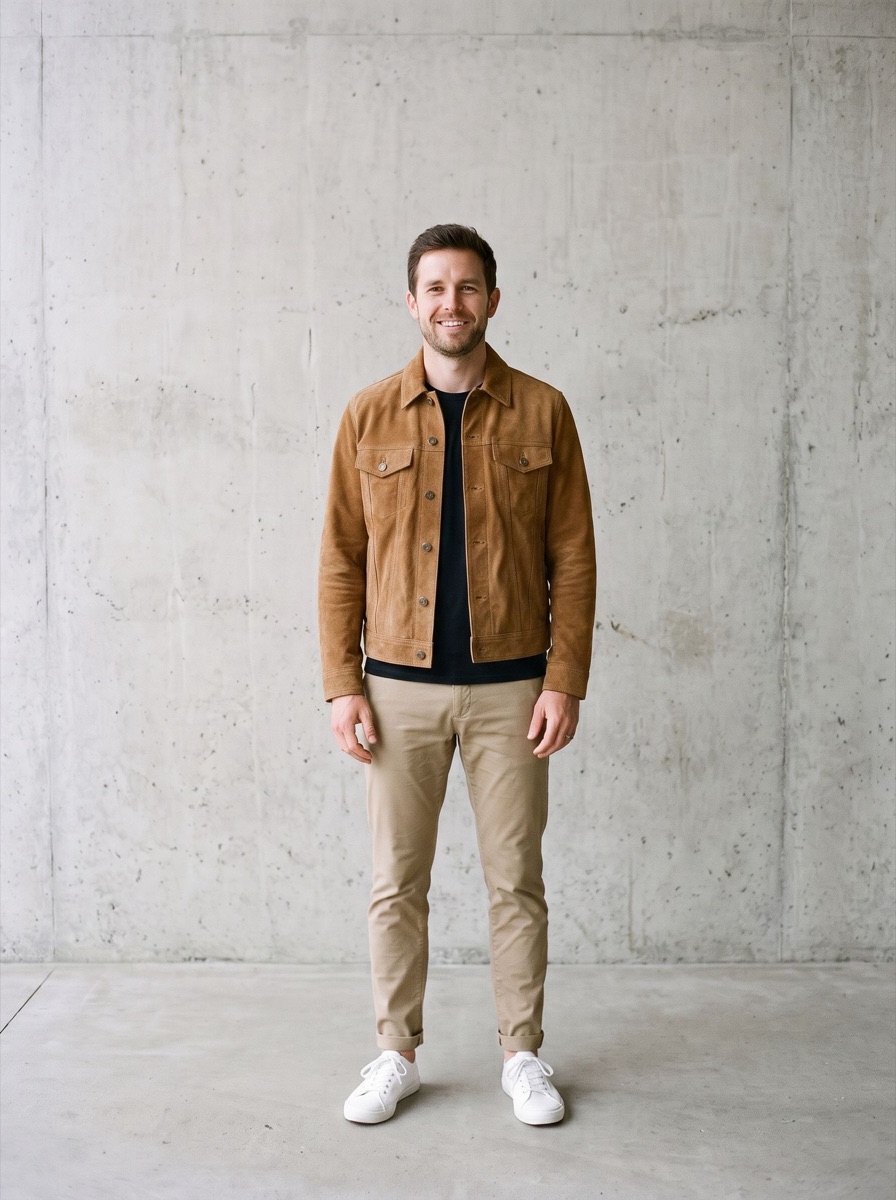
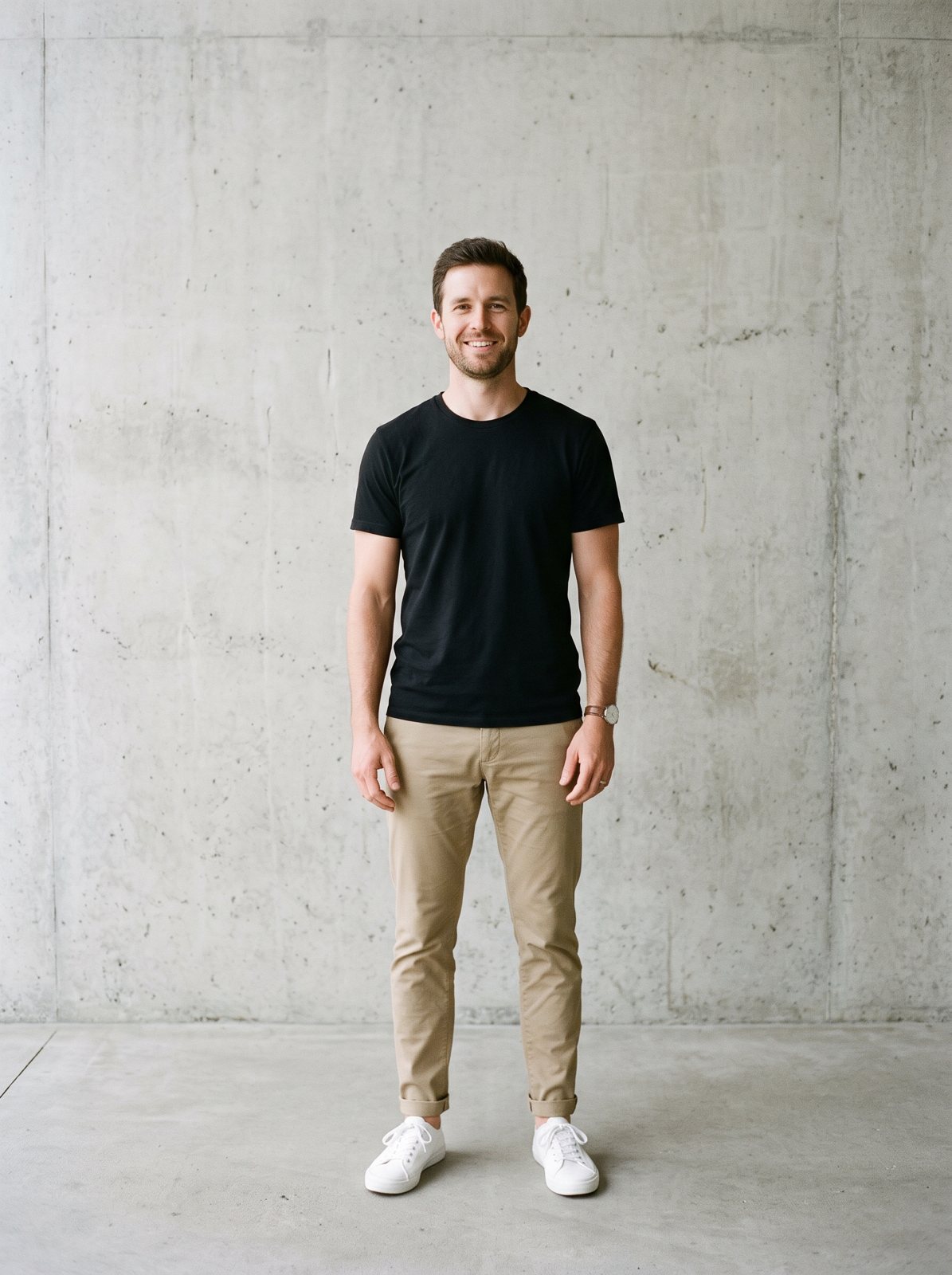
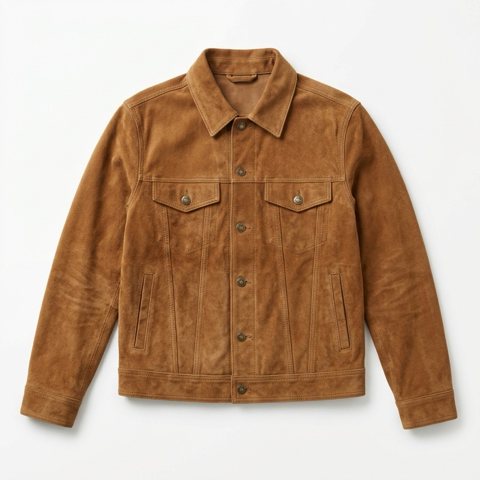
A suede trucker jacket from a flat product photo, worn over his black T-shirt. The chinos, sneakers and wall stay the same.
BeforeAfter
IllustrationReference
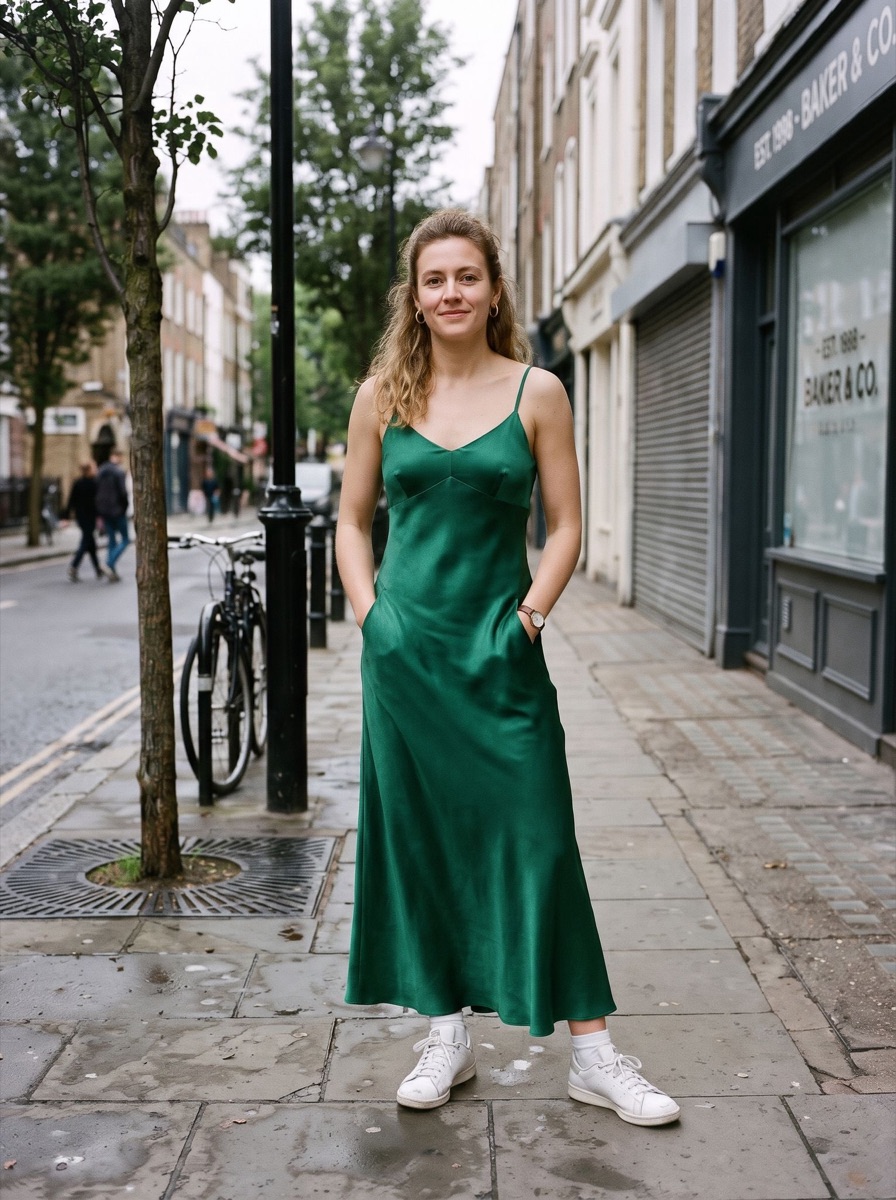
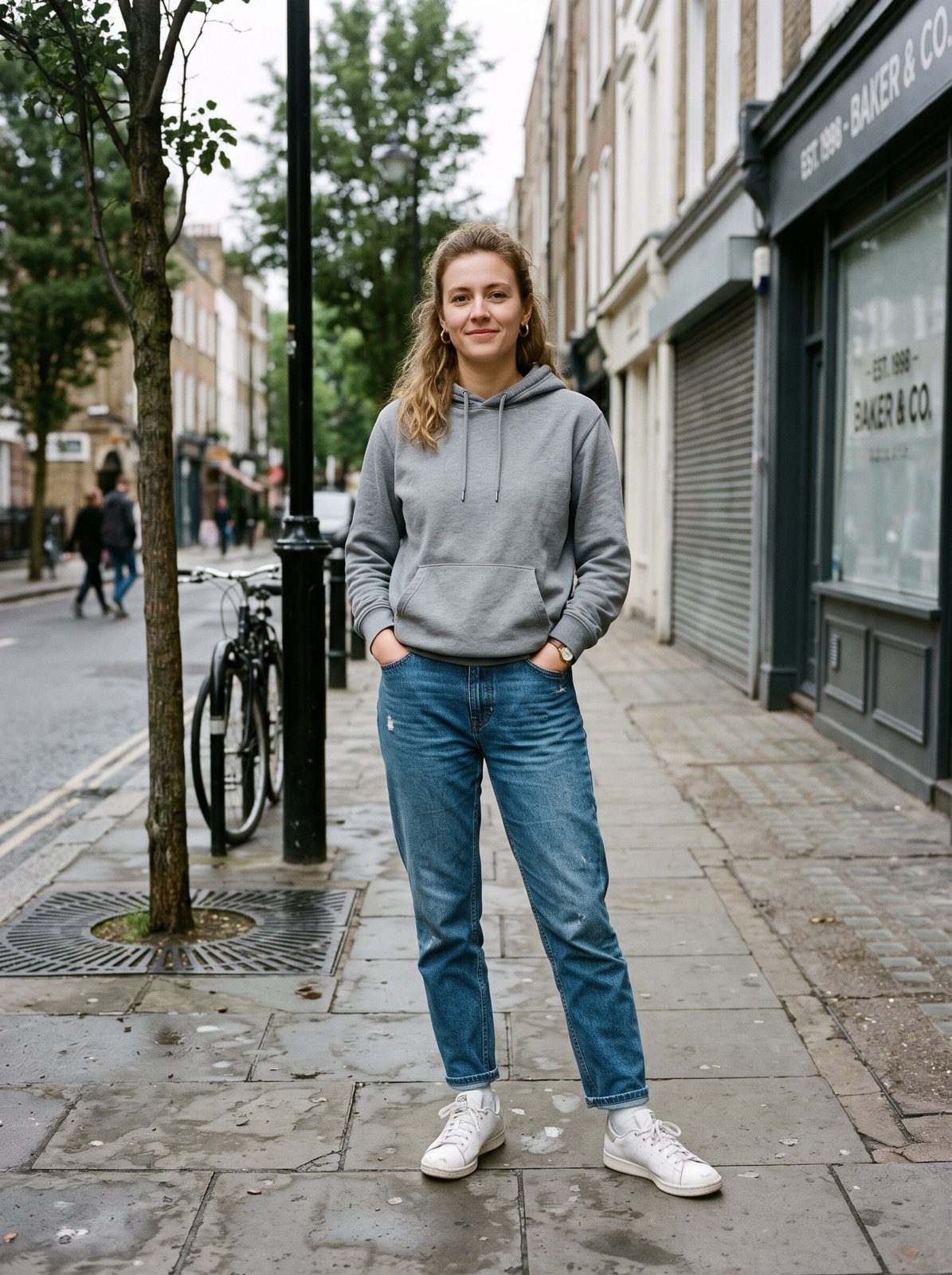
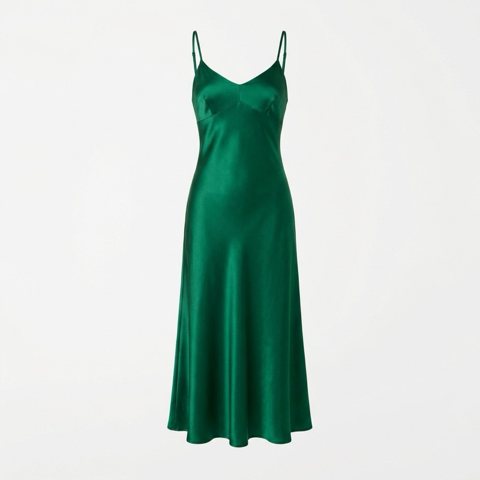
Full body · a satin dress on a street photo
An emerald satin slip dress replaces the hoodie and jeans, from neckline to hem. Her sneakers and the street stay.
BeforeAfter
IllustrationReference
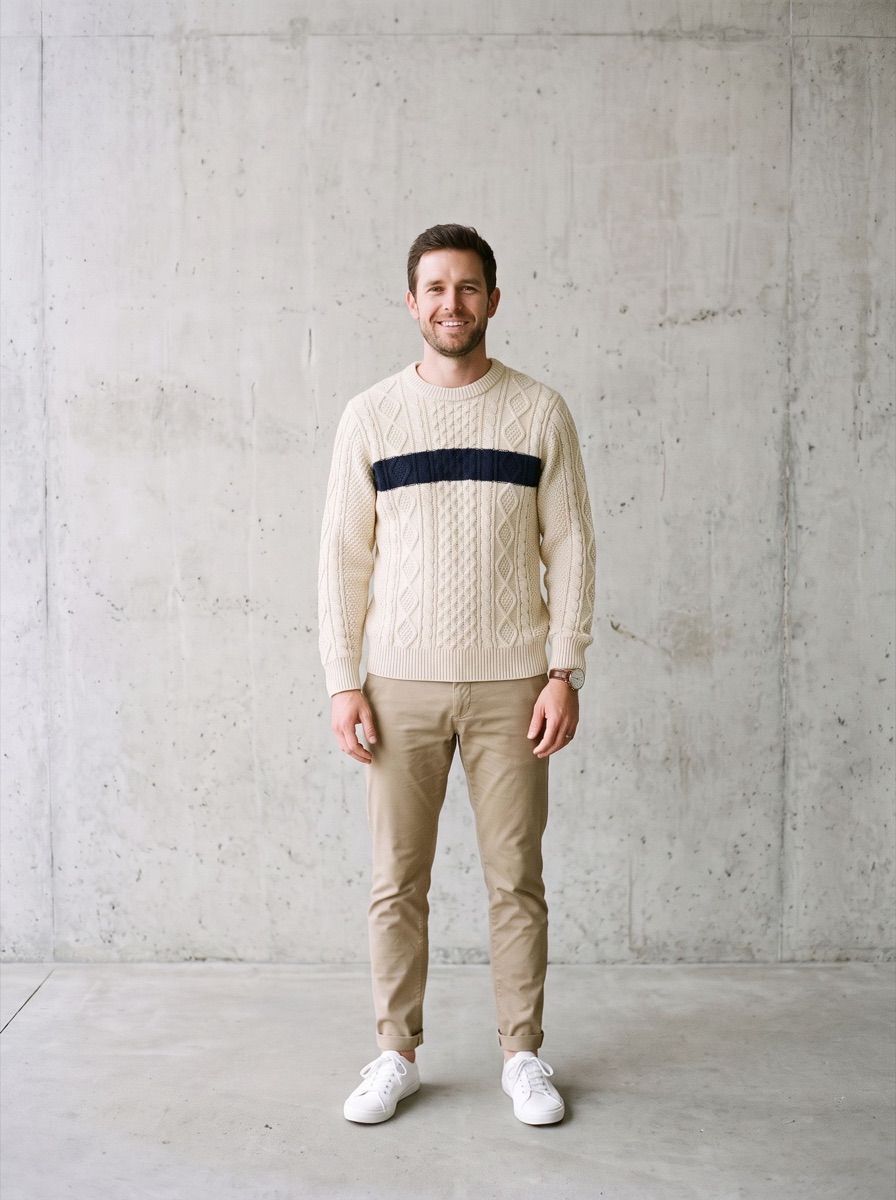
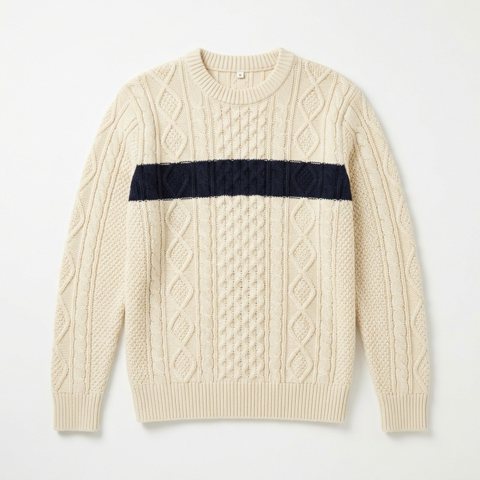
Full body · only the top changes
A cable-knit sweater replaces the T-shirt. The chinos and sneakers below are untouched.
BeforeAfter
Illustration
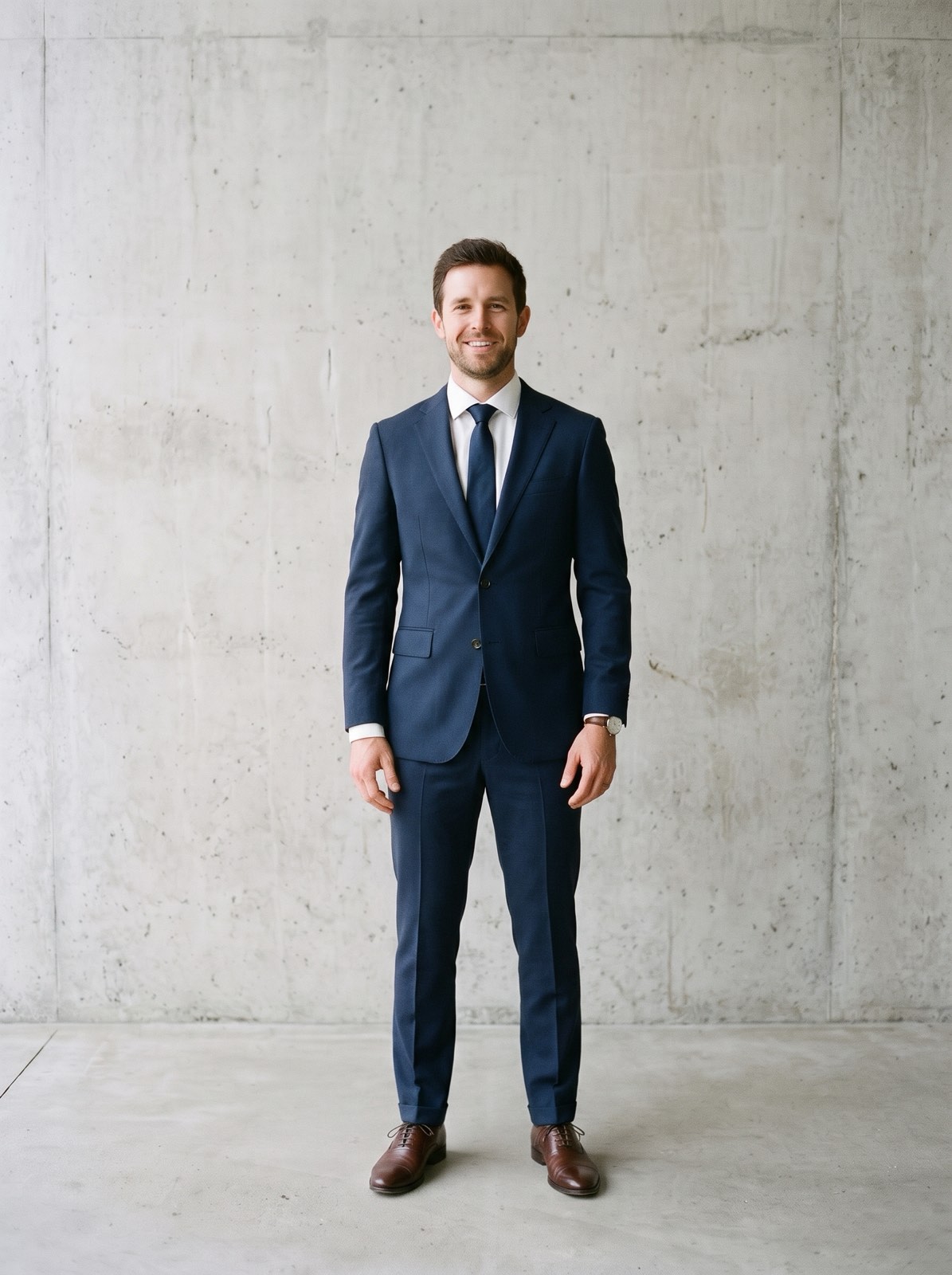
Full body · T-shirt and chinos to a navy suit
Jacket, trousers, shirt, tie and dress shoes all change together, head to toe.
BeforeAfter
Illustration
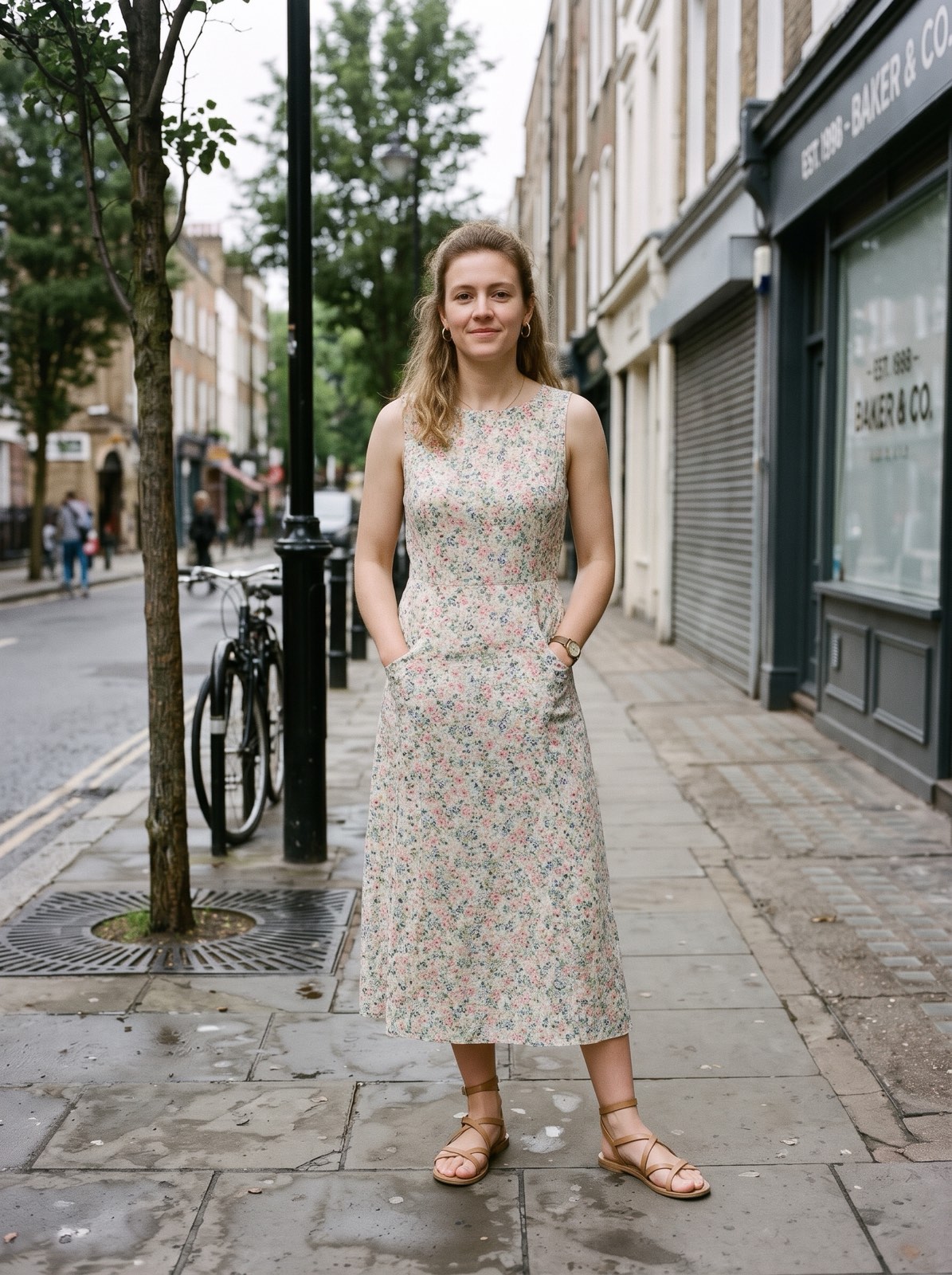
Full body · hoodie and jeans to a summer dress
A floral midi dress and sandals replace the weekend look. Her face, hair and the street stay.
BeforeAfter
Illustration
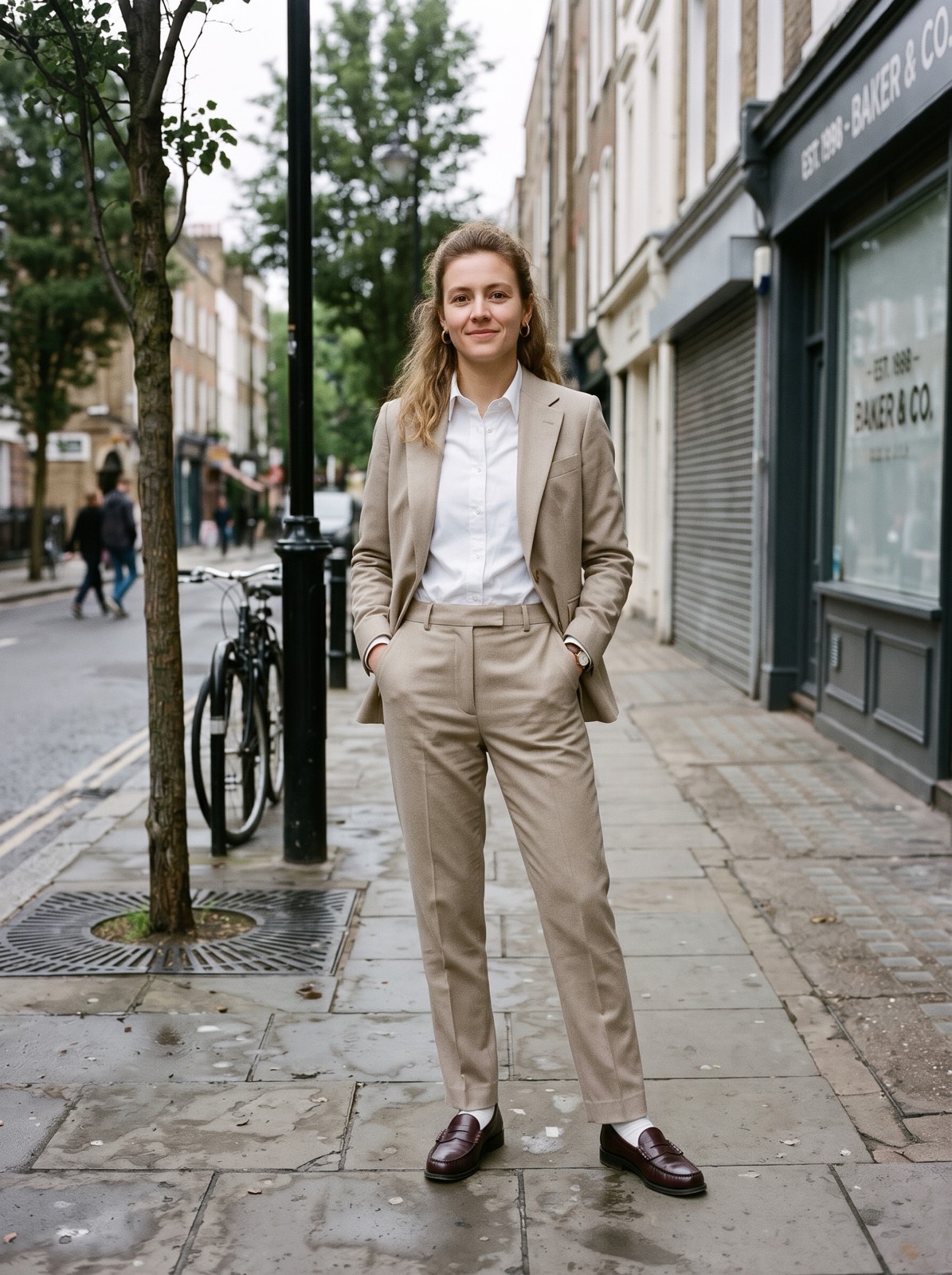
Full body · weekend look to a beige suit
A camel trouser suit with a white shirt and loafers. Same pose, same sidewalk.
BeforeAfter
Real resultReference
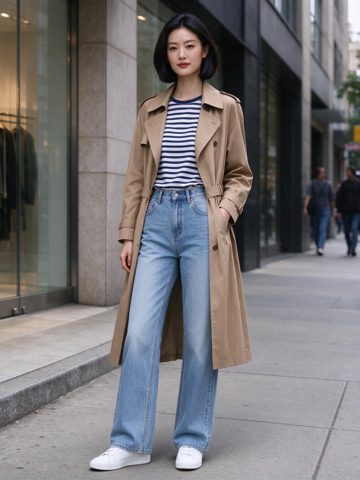
Uploaded outfit · copied from a street photo
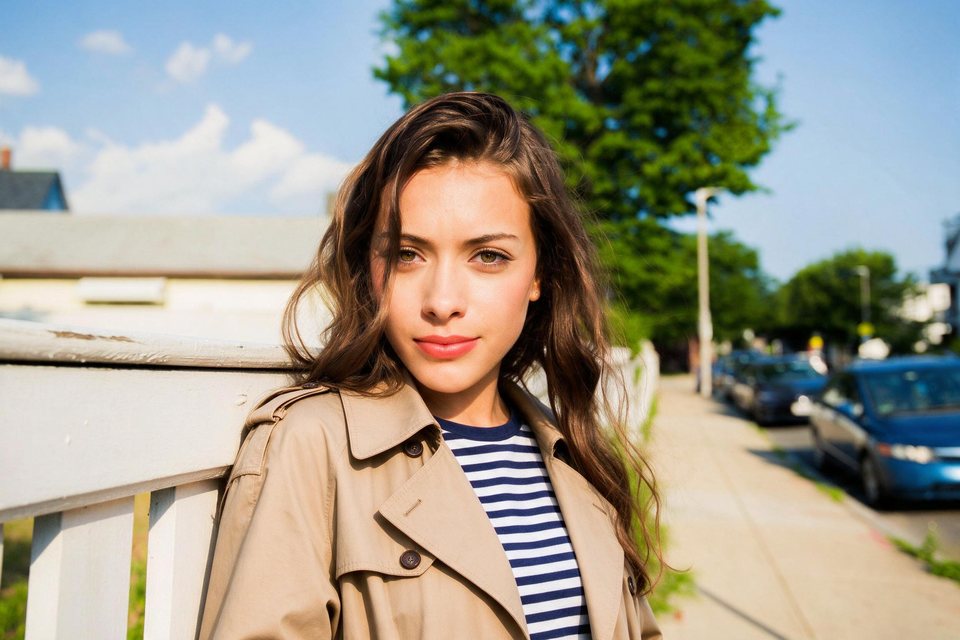
The clothing photo is another woman in a full street outfit. The trench coat and striped shirt move over, while her face and hair stay hers. The jeans and sneakers are below the frame.
BeforeAfter
Real resultReference
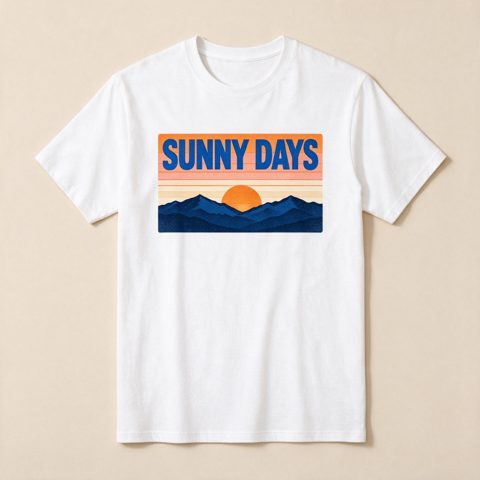
Uploaded outfit · printed T-shirt
The clothing photo is a flat lay of a printed T-shirt. The sunset print and the words SUNNY DAYS come through clearly on his shirt.
BeforeAfter
Real resultReference
Uploaded outfit · someone else's suit
The clothing photo is another man in a pink double-breasted suit. Only the suit, shirt and tie move over; his face, smile and pose stay the same.
BeforeAfter
Real result
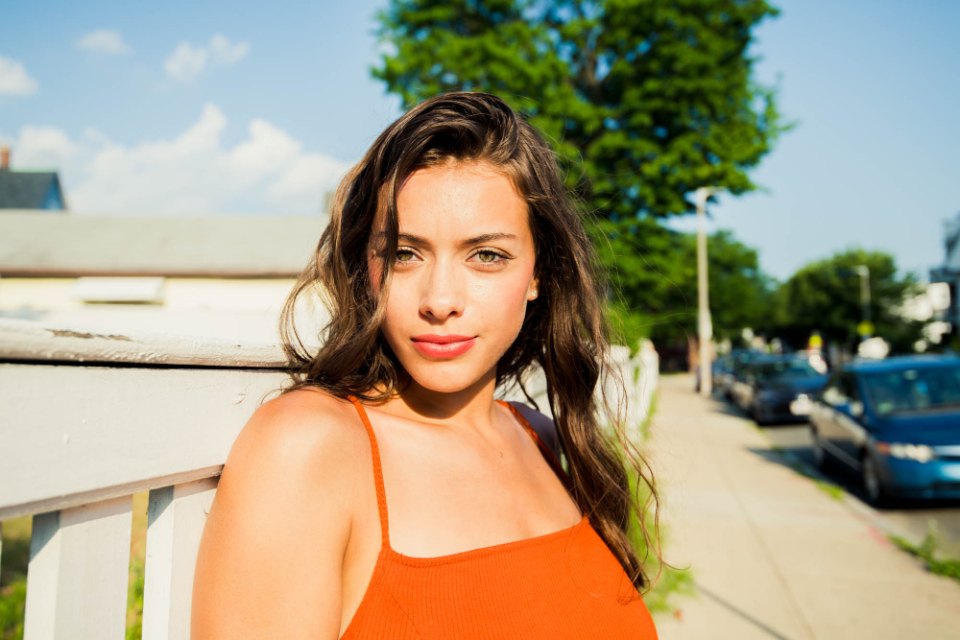
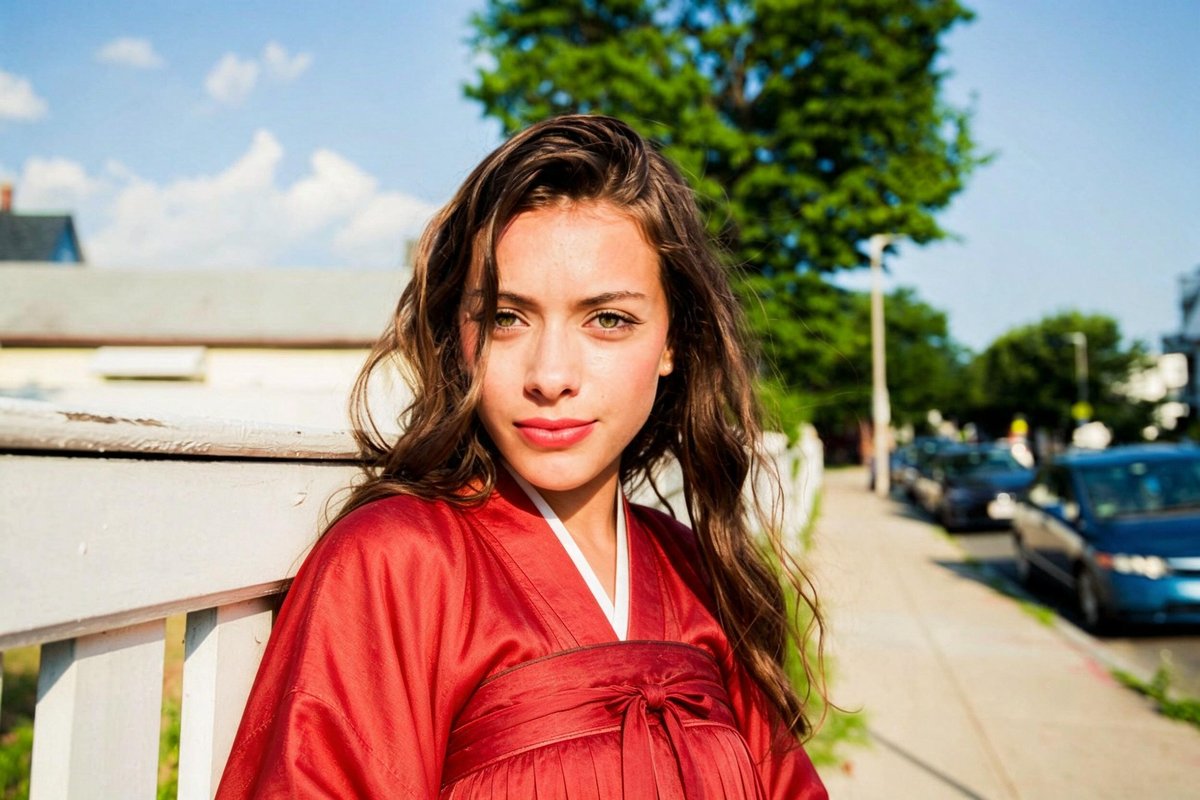
Custom outfit · Red hanfu
Typed as a custom outfit. The orange tank top became a red hanfu with a crossed collar. The hair, the face, and the street stayed.
BeforeAfter
Real result
Matching family sweaters
All four got matching cream cable-knit sweaters. The faces, the jeans, and the held hands stayed. Good for a holiday card.
How to try clothes on online
Step 1
Add up to three garments
Save the product photos (a flat lay, a hanger shot or a model wearing it) and add them. Set what each one is: top, bottom, dress, jacket or full outfit. Or tap a sample garment.
Step 2
Add your photo
Upload a photo of yourself, ideally full length. The run starts right away.
Step 3
Compare and download
Drag the slider to see before and after. Swap a garment and run again to compare.
At a glance
Price
Standard 4 credits · Pro 6 credits
Free
1 photo a day without an account; 10 credits a day signed in
Files
JPEG, PNG, WebP, up to 15 MB
Watermark
None
Processing time
Usually under a minute
Your files
Deleted after 24 hours; kept 7 days in History when you're signed in
Account
Not needed to buy credits
Works on
Any browser on iPhone, Android, or a computer; no app to install
Last updated
What this virtual try-on does
It copies the garments from your photos onto the person: the cut, length, color, pattern, print and any text. The face, hair, body shape, pose and background stay the same.
Several pieces can go on in one run. Tag a sweater as a top and jeans as a bottom, and both are put on while the shoes stay. A jacket tagged as outerwear goes over what the person already wears.
Want to pick a style instead of uploading clothes? Use the AI Outfit Changer. The full tool, with presets and custom outfits, is the AI Clothes Changer.
Photos that work well
For you: one person, facing the camera, full length if you want to see trousers and shoes. For the clothes: the whole garment visible, on a plain background if possible.
Try on before you buy
Product photos in, a picture of you wearing them out.
01
Up to three garments at once
A top, bottoms and a jacket in one run, each tagged so the model knows what it replaces.
02
Full-length photos work best
Upload a head-to-toe photo to see trousers, skirts and shoes, not just the top.
03
Prints and text kept
In our tests a T-shirt print and the words on it came through clearly.
Virtual try-on examples
Real runs from an uploaded clothing photo. Each card says what changed.
BeforeAfter
A street-style outfit
The clothing photo was another woman's street outfit. The trench coat and striped shirt moved over; her face and hair stayed.
BeforeAfter
A printed T-shirt
A flat lay of a printed T-shirt. The sunset print and the words SUNNY DAYS came through on his shirt.
BeforeAfter
Someone else's suit
The clothing photo showed another man in a pink suit. Only the suit, shirt and tie moved over.
What it does not do
It shows how clothes look, not how they fit. It cannot tell your size or whether a garment will be tight or loose on you.
Small details such as tiny logos, buttons or stitching can come out slightly different from the product photo.
It only swaps clothes for clothes. Revealing or see-through garments are turned into modest ones, and it never undresses anyone. Only upload photos of yourself or of people who agreed to it.
Uploads and results are deleted after 24 hours (7 days if you're signed in). The photos are sent to the model provider so the edit can run.
Need further adjustments?
If you're happy with the result, it's ready to save. If you also want to upscale, extend the edges, or refine other details, you can continue with:
Add a photo of the garment and a photo of the person. The model copies the garment onto the person and keeps their face, body, pose and background. It takes about half a minute.
Yes, for the look. Save the product photo, add it, then add your photo. You see the same garment, color and print on you. It cannot tell you your size or how it fits.
Yes, up to three: for example a top, trousers and a jacket. Tag each one so it replaces the right part of the outfit.
Yes, to try. Each run uses 4 of your 10 free daily credits once you sign in, and you get one free try without an account. Pro and HD runs, and 2 or 4 images per run, use credits.
No. It runs in the browser on an iPhone, an Android phone or a computer.
Uploads and results are deleted after 24 hours (7 days if you're signed in). Photos are sent to the model provider only to run the edit.
 lumenfix