 lumenfix
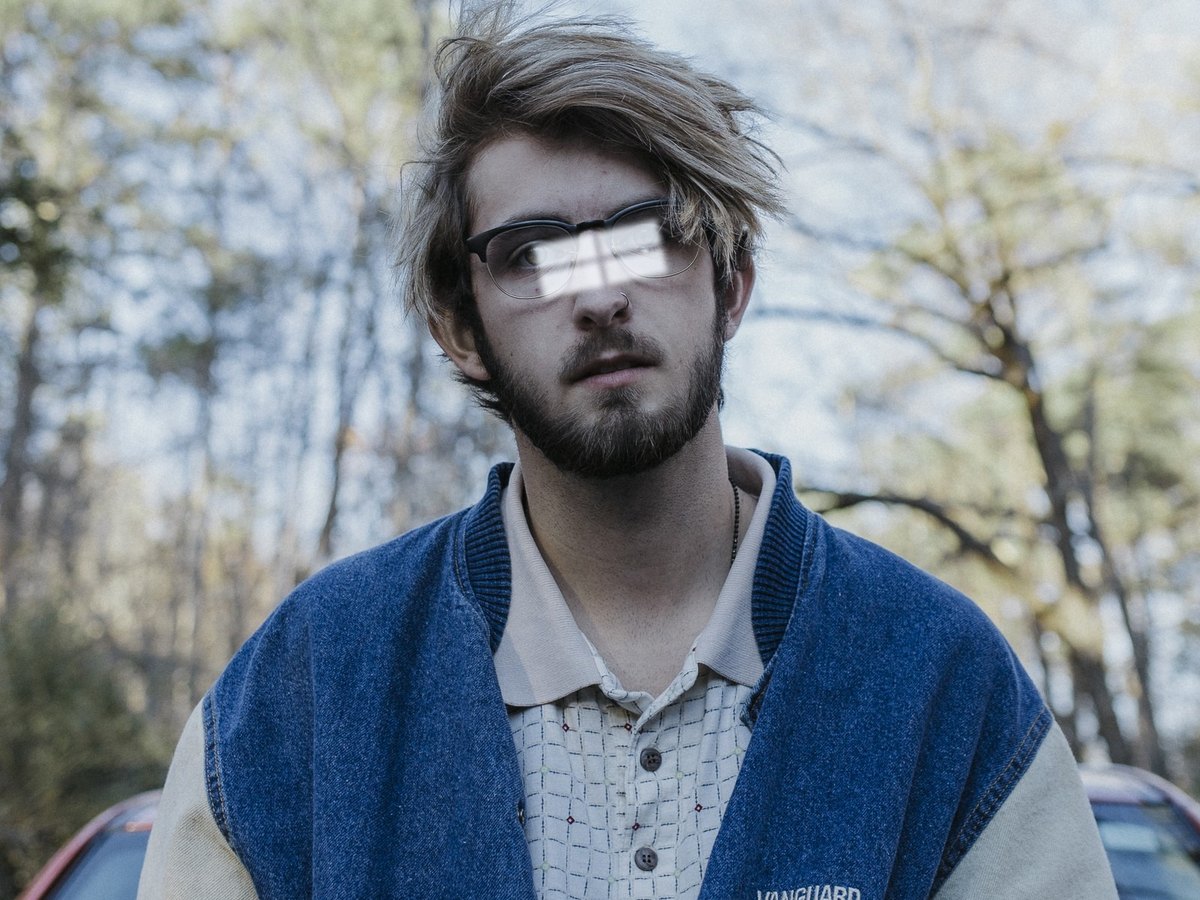
Real result
Window reflection on both lenses
Synthetic window reflection on a clear public-domain portrait, then Standard removal. The person stayed recognizable and the color stayed. Fine detail in the eyes is regenerated.
No account required
Clear window, screen, and flash reflections from eyeglass lenses in a photo you already have. The frames stay. Compare the eyes before you use the result.
Window light on both lenses, a screen reflection over one eye, and real outdoor glare. The first two start from a clear original with glare we added; the outdoor portrait had glare already. Drag the slider and compare the eyes.
Synthetic window reflection on a clear public-domain portrait, then Standard removal. The person stayed recognizable and the color stayed. Fine detail in the eyes is regenerated.
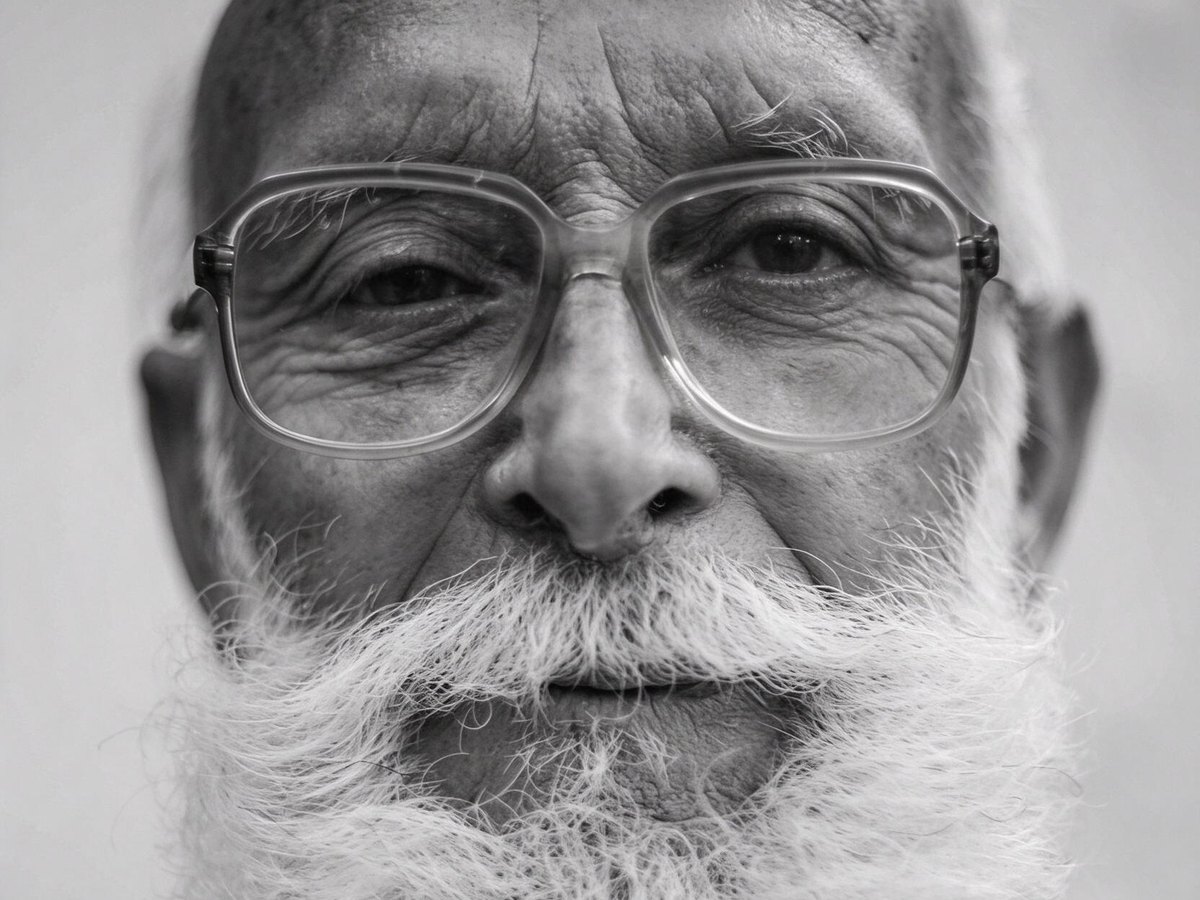
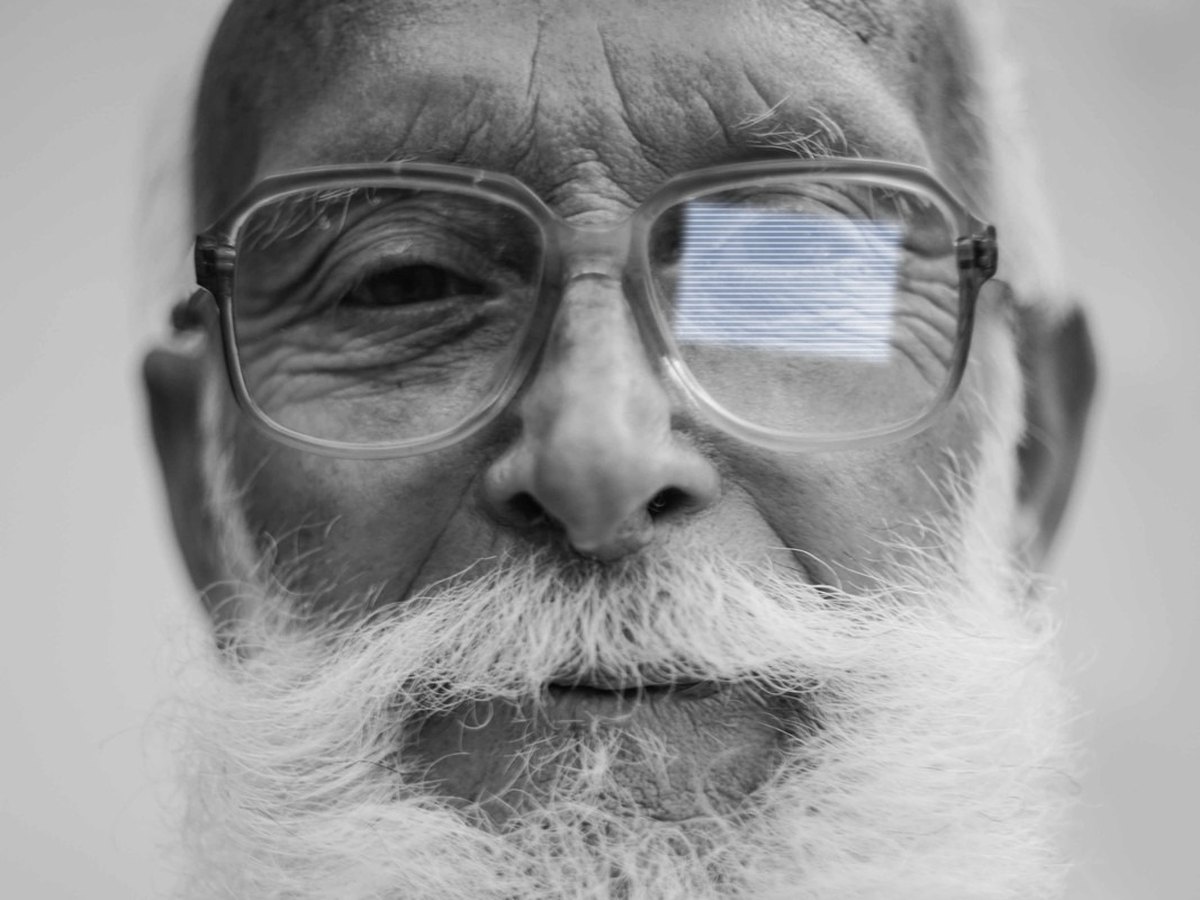
Synthetic blue screen over one eye of a grayscale portrait, then Standard removal. The screen is gone and the result stayed grayscale, but that eye is more open than in the clear original.


A real outdoor portrait that already had glare, so there is no clear original to compare. Standard removal took off most of the glare and warmed the black-and-white photo.
Step 1
Choose a JPG, PNG, or WebP up to 15 MB. A phone photo straight from your library works in the browser.
Step 2
There is one option and no scene presets. The edit targets the bright spots on the lenses.
Step 3
Drag the before-and-after slider, look closely at both eyes, then download.
It takes bright reflections off eyeglass lenses: window light, a laptop or phone screen, a lamp, or the camera flash. The frames stay, and the glasses are not removed.
Where the glare hid the eyes, the eyes are redrawn from what is still visible in the photo. That part is inferred, not the hidden original, so the gaze or the shape of an eye can shift. In testing, one person stayed recognizable with a similar gaze, while another person's eye opened wider than in the clear original.
It runs in the browser on iPhone, Android, and desktop, so it works like a glasses glare removal app without installing one.
For glare on a label, a sign, or a framed picture, use Remove Glare. If the rest of the photo is soft, run it through the AI Photo Enhancer next.
Window light on both lenses, a screen reflection from a video call, and outdoor glare on a portrait. The cards say whether the glare was added to a clear original, and what changed.
The bright spots on the lenses are the target. The frames stay, and the eyes can still change.
01
Window-shaped and screen-shaped reflections on the lenses can be cleared, including bright spots that hide the eyes. The frames and the rest of the face stay in place.
02
The same run handles daylight from a window, the glow of a monitor or phone, and a camera-flash hot spot on the lens.
03
Eyes behind heavy glare are redrawn. One tested eye opened wider than in the clear original, so compare before you post or print.
04
Open the page on iPhone, Android, or a computer, pick a photo, and download the result.
05
Free runs export a JPG up to 2048 px with no watermark. Runs paid with credits are not downsized.
Shooting tips for next time. They are not a promise about what the editor will do.
Lifting the arms off the ears a little angles the lenses down, so the reflection lands below the camera instead of in it.
A light straight in front of the face bounces straight back. Raise it or move it to one side.
Flash puts a white disk on the lenses. Use window light or a lamp from the side instead.
Lower the screen brightness or tilt the screen so its rectangle leaves the lenses.
If you're happy with the result, it's ready to save. If you also want to upscale, extend the edges, or refine other details, you can continue with:
Enhance
6General AI image enhancement. Standard 2×, Pro for finer detail and color.
Credits · Pro
Fix motion blur and soft focus in photos and portraits.
Credits · Pro
Sharpen blurry text and screenshots cleanly.
Credits · Pro
Take glare off glasses, camera flash, and sun.
4 credits
Repair scratches, creases, and tears on an old print.
4 credits
Add natural, lifelike color to black-and-white photos.
Credits · Pro
Restyle
6Put the people in your photo into a Christmas scene.
4 credits
Turn a photo into an oil painting or watercolor.
4 credits
Turn a photo into a pencil drawing.
4 credits
Turn a photo into a page to print and color.
4 credits
Turn a photo into a cartoon.
4 credits
Make a color photo black and white in your browser.
Free · Local
Upscale & extend
2Erase
2Free convert
10Convert WebP images to lossless PNG.
Free
Convert JFIF files to standard JPG format.
Free
Convert AVIF images to standard JPG format.
Free
Optimize PNG images into lightweight WebP.
Free
Convert JPG photos to lightweight WebP.
Free
Convert JPEG stills to WebP for the web.
Free
Convert WebP images to standard JPG.
Free
Convert WebP images to JPEG files.
Free
Convert PNG stills to smaller JPG photos.
Free
Convert JPG photos to PNG for editing.
Free