 lumenfix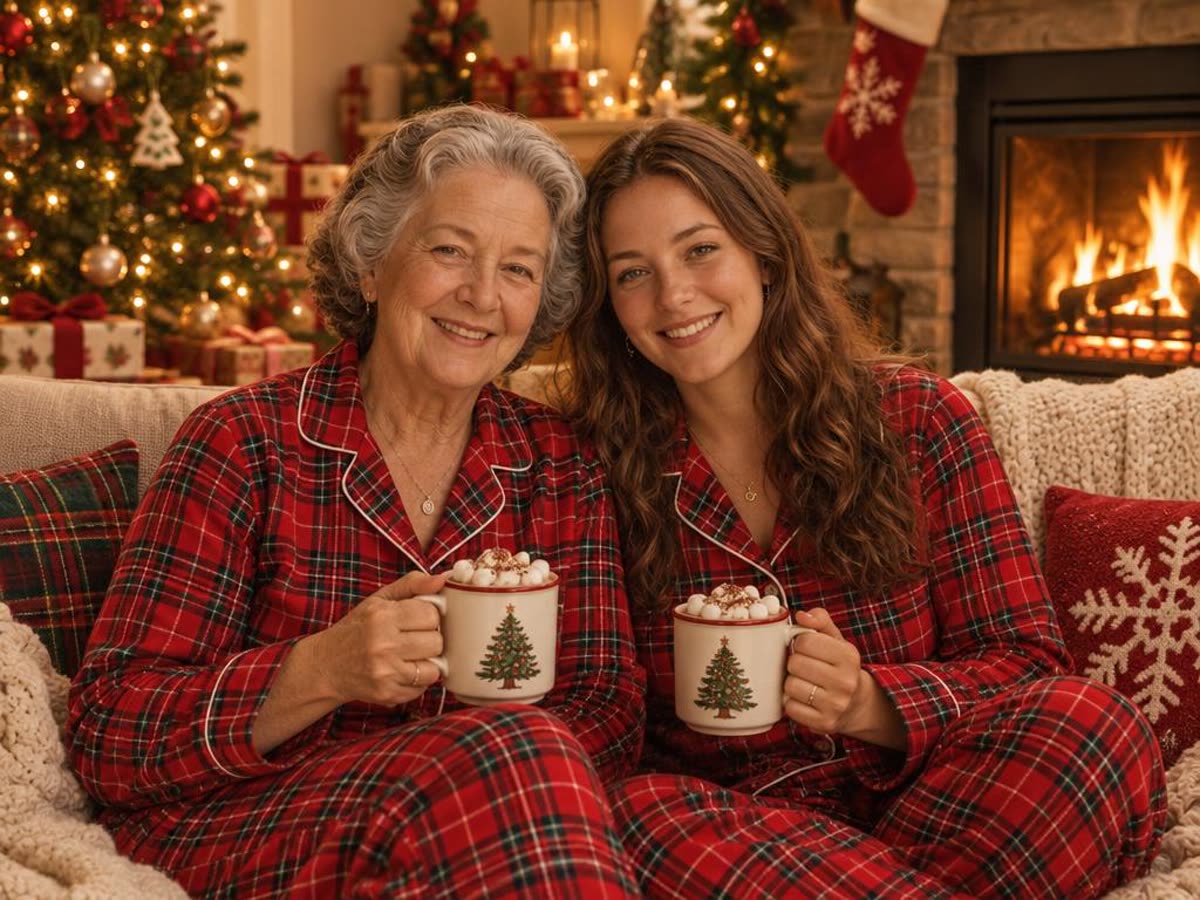
Last December, the AI Christmas photo trend took over feeds. You upload a selfie to ChatGPT, paste a prompt like "Create an ultra-realistic 8K Christmas portrait", and get yourself in front of a tree in a sweater you never owned. Most prompt lists online stop at the text. We wanted to know what each prompt actually does to a real face.
So we ran eight prompts on two photos: a solo portrait and a mother-and-daughter shot. Every picture below is a real result. We ran them through OpenAI's GPT Image 2.5 model over an API, not inside the ChatGPT app, so your results in ChatGPT can differ. Each run is also a little different from the last.
If you don't want to write prompts at all, skip to the no-prompt option at the end.
How to use these prompts in ChatGPT
- Open ChatGPT and attach one clear photo. Faces should be in focus and not tiny.
- Paste one prompt from this page. Keep the last sentence, the face line.
- If a face or a pose looks wrong, ask it to try again before you rewrite the prompt.
- Download the result and compare it with your photo before you post it.
The face line to add to any prompt
Every prompt below ends with this sentence. It is the part that asks the model to keep you looking like you. Add it to any Christmas prompt you find elsewhere, too.
Keep the same face, facial features, skin tone, hair and age as in the uploaded photo.For two or more people, use this version:
Keep both people exactly as they look in the uploaded photo: the same faces, facial features, skin tone, hair and age.In our tests, faces held up well with this line. Poses did not always: prompts that describe an action, like decorating a tree, re-stage the people.
Solo Christmas portrait prompts

This is the photo we used for the four solo prompts.
1. The viral 8K Christmas portrait
Create an ultra-realistic 8K Christmas portrait of the person in this photo, shot on a 55mm lens with bright, playful holiday lighting. Warm Christmas tree lights and soft bokeh in the background, a cozy knit sweater, natural smile. Keep the same face, facial features, skin tone, hair and age as in the uploaded photo.
The face came through. The pose changed: she now rests her chin on her hand on a sofa. This is the prompt most people copied last year, and it reads as a living-room photo, not a studio one.
2. Candy cane wonderland
Create a glossy, playful Christmas portrait of the person in this photo in a candy cane wonderland: giant red-and-white candy canes, a cream wool coat, soft falling snow and warm string lights, bright studio-style lighting. Keep the same face, facial features, skin tone, hair and age as in the uploaded photo.
The candy cane look was one of the viral styles. She kept the original hand-at-chin pose and gained a giant cane to hold.
3. Sparkly sequin party portrait
Turn this photo into an elegant Christmas studio portrait: a sparkly sequin party outfit, a deep red backdrop with gold bokeh lights, soft glamorous lighting. Keep the same face, facial features, skin tone, hair and age as in the uploaded photo.
The closest to the original photo: same pose, same framing, new outfit and backdrop. A good pick for a profile picture.
4. Snowy city street at night
Place the person in this photo on a snowy city street at night at Christmas: falling snow, shop windows glowing with warm lights, a long wool coat and a scarf, cinematic 35mm film look. Keep the same face, facial features, skin tone, hair and age as in the uploaded photo.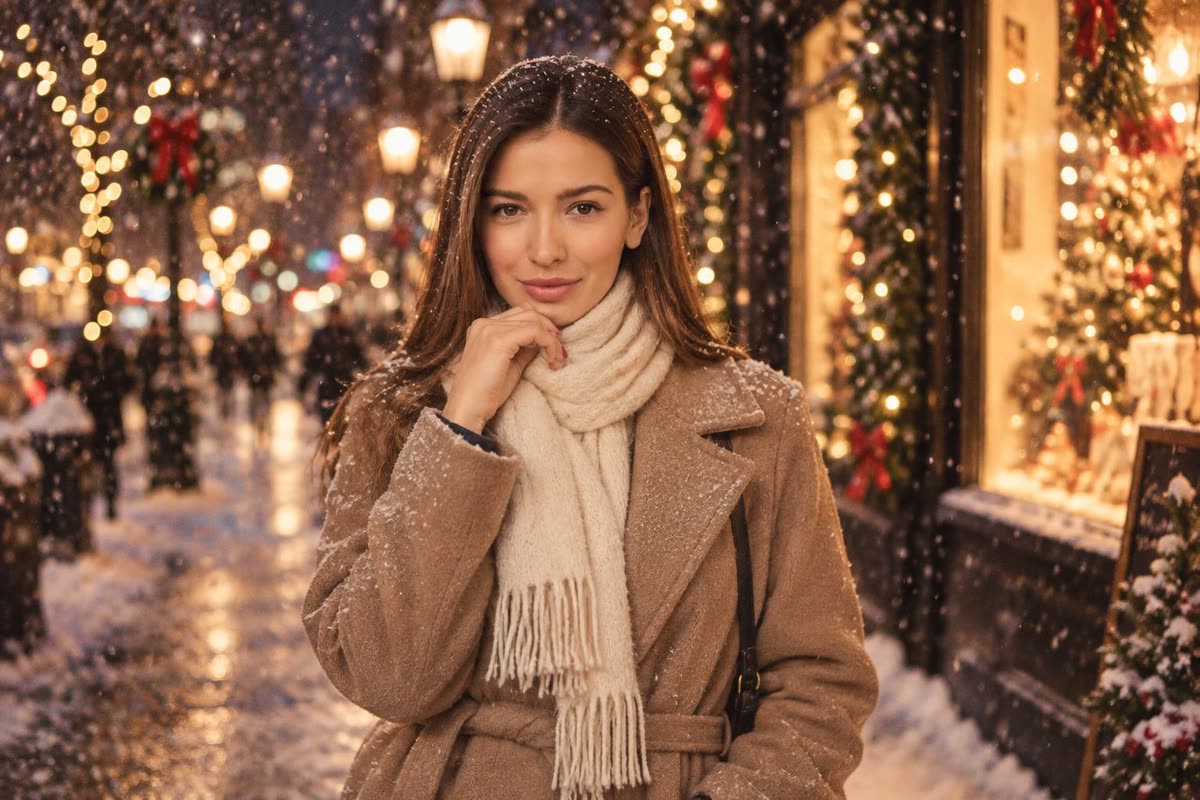
The "cinematic" wording gives a shallow, filmic background. The face and pose stayed close to the original.
Couple and family Christmas photo prompts
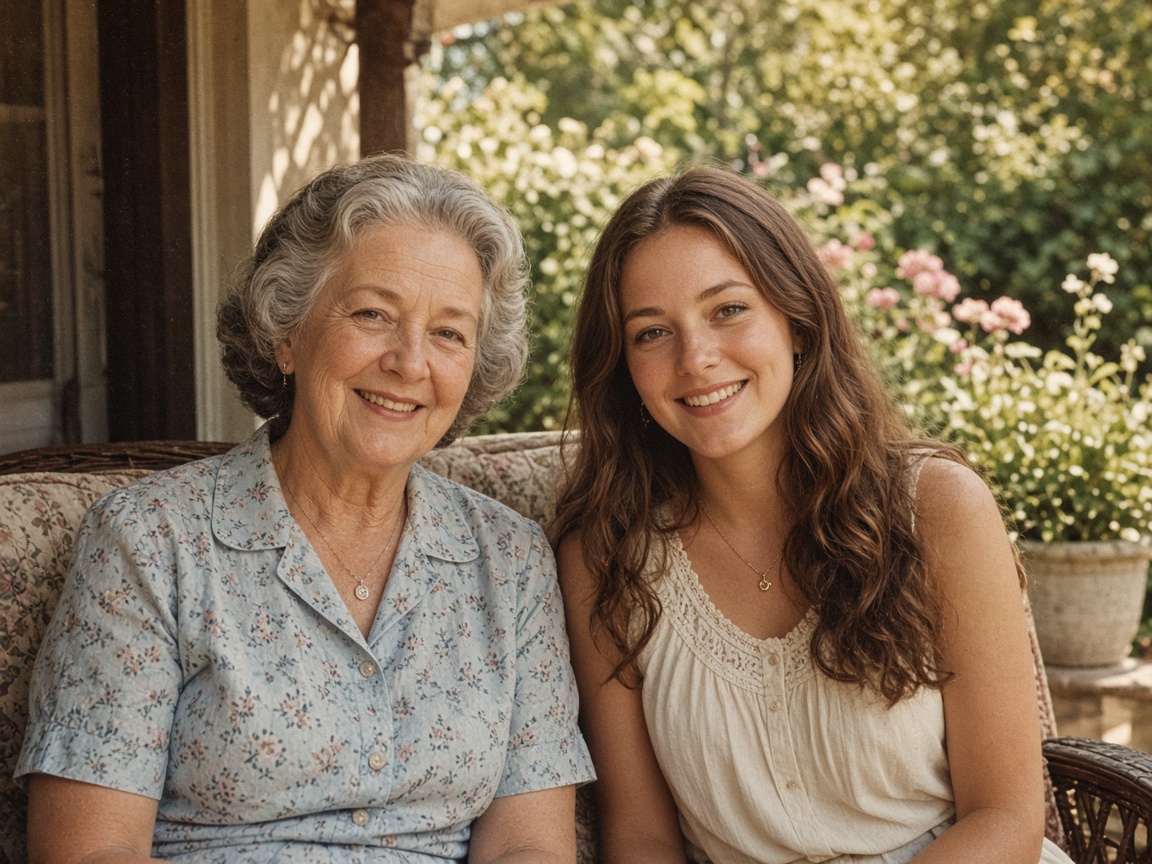
This is the photo we used for the four prompts with two people.
5. 1960s vintage Christmas card
Turn this photo into a 1960s Christmas card photograph: faded film colors, soft grain, a tinsel Christmas tree and wrapped presents behind them, a white card border, both people in 1960s holiday clothes. Keep both people exactly as they look in the uploaded photo: the same faces, facial features, skin tone, hair and age.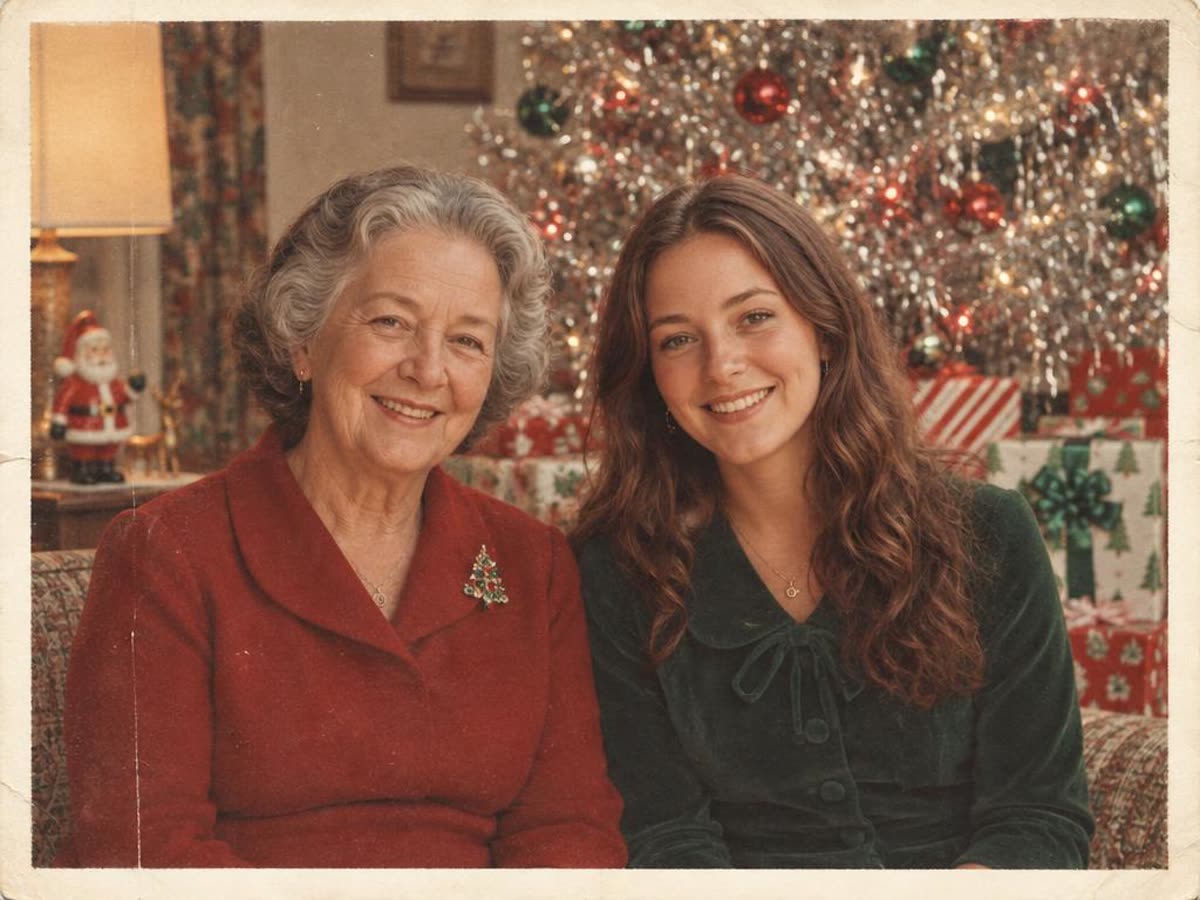
Both faces stayed close. The tinsel tree, the faded color, and the white border sell the era.
6. Matching pajamas by the fireplace
Place the two people in this photo together on a sofa by a crackling fireplace on Christmas morning, wearing matching red plaid Christmas pajamas and holding mugs of cocoa, warm cozy light. Keep both people exactly as they look in the uploaded photo: the same faces, facial features, skin tone, hair and age.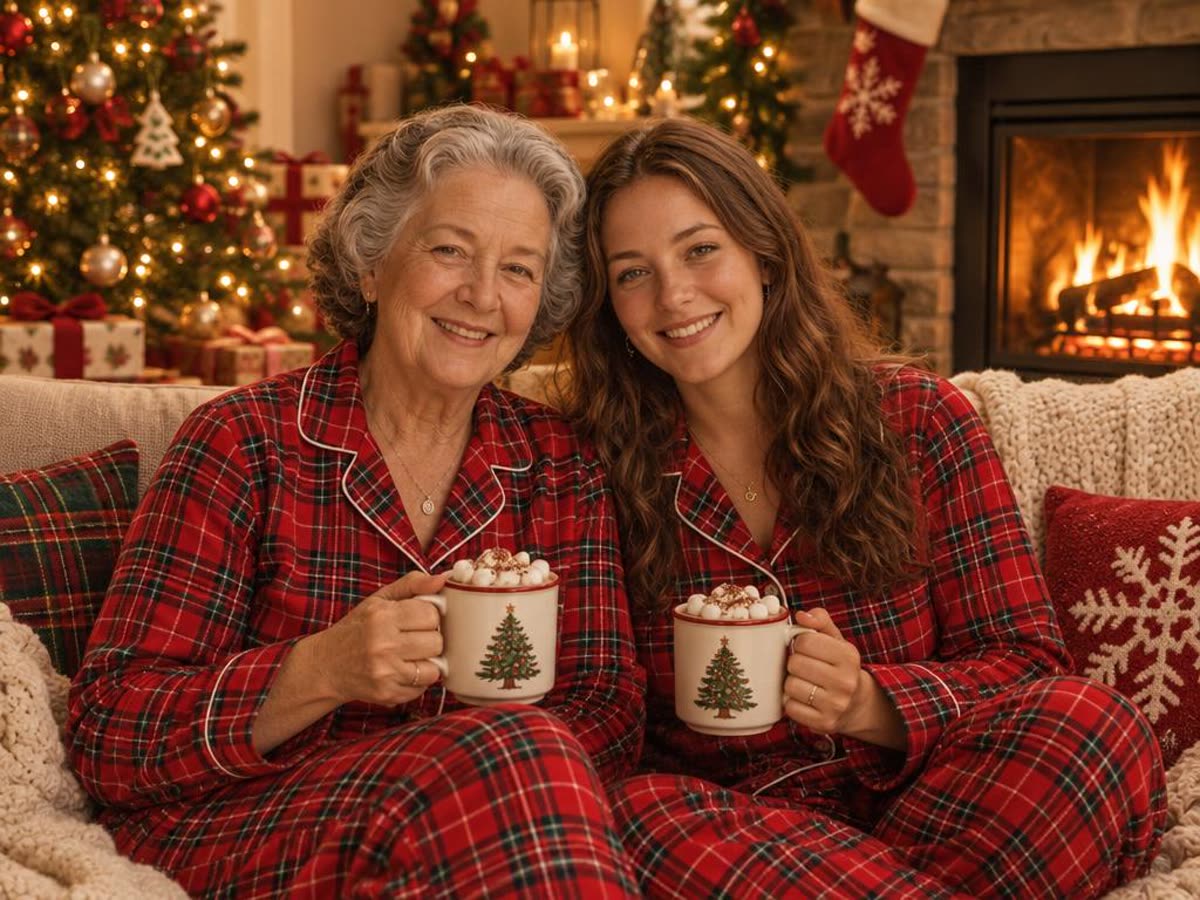
Matching pajamas is a classic family-photo idea, and the model handled the mugs and hands cleanly.
7. Decorating the tree, candid
Turn this photo into a candid Christmas photo of the two people decorating a Christmas tree together and laughing, warm living-room lights, natural documentary style. Keep both people exactly as they look in the uploaded photo: the same faces, facial features, skin tone, hair and age.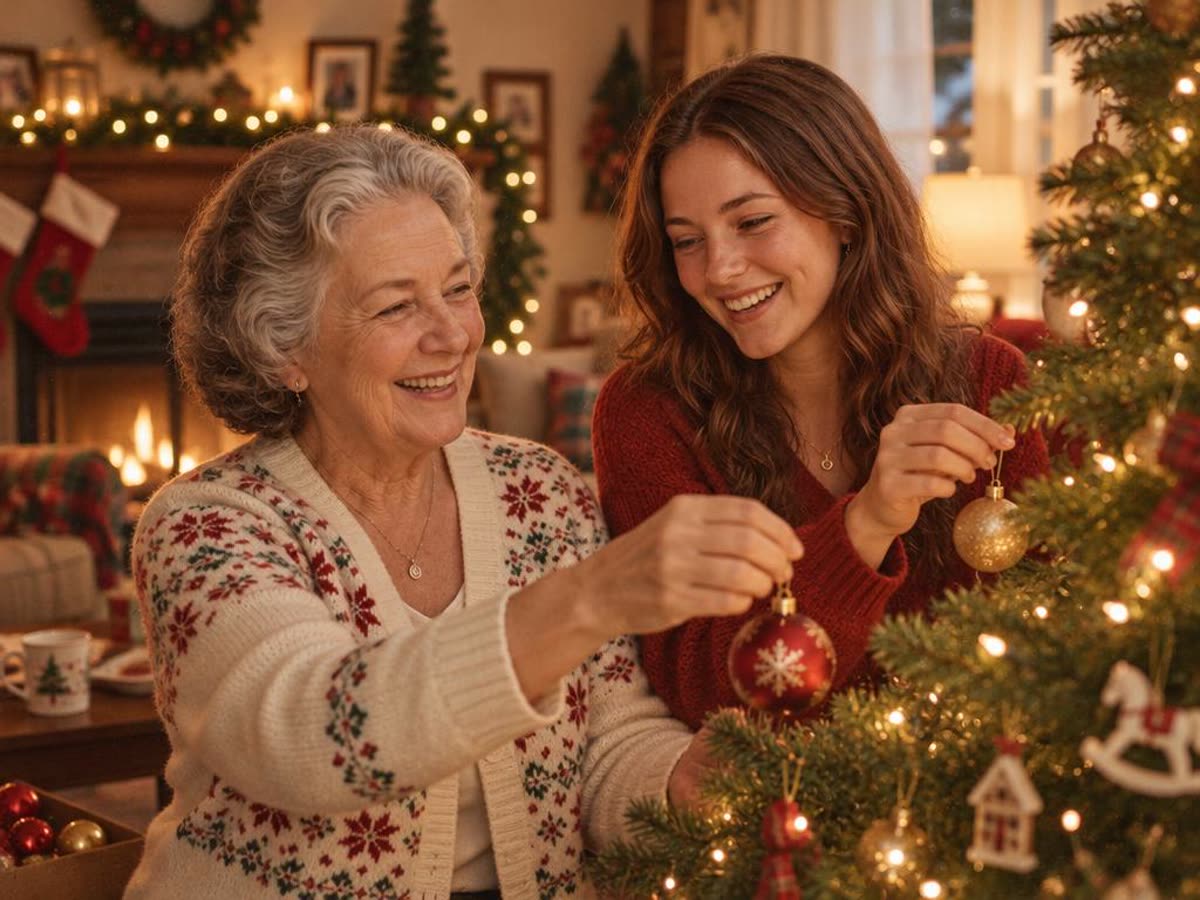
This is the prompt that moved people the most. They are turned toward the tree, so their faces are at a new angle. They still read as the same two people, but check closely.
8. Christmas card with "Merry Christmas"
Turn this photo into a Christmas card: the two people in festive knit sweaters in front of a snowy log cabin with warm windows, with the words "Merry Christmas" in elegant gold lettering across the top. Keep both people exactly as they look in the uploaded photo: the same faces, facial features, skin tone, hair and age.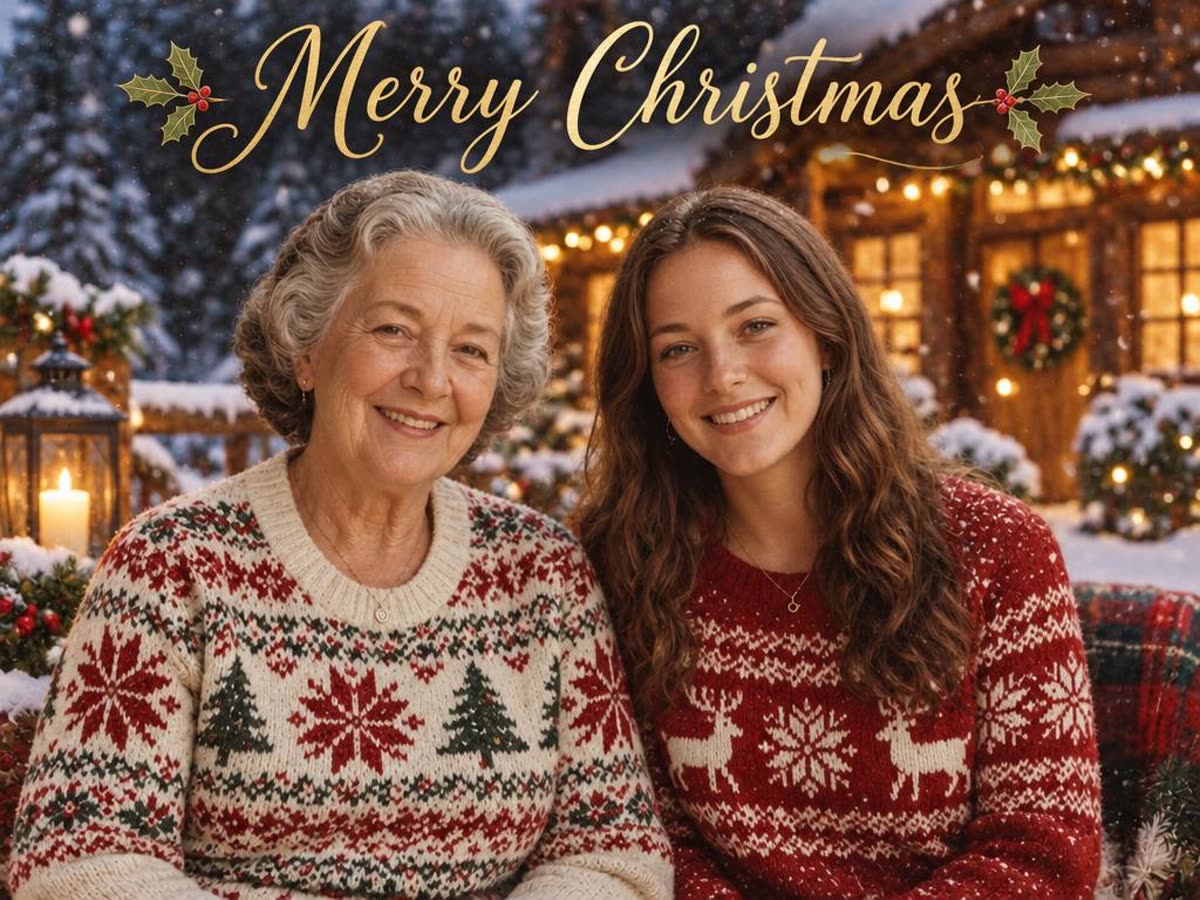
The lettering came out spelled correctly in our run. Image models still misspell words sometimes, so read the card before you print fifty of them.
What to expect
- Faces mostly hold. With the face line, both photos kept recognizable faces across all eight prompts. Small faces in a big group shot are harder; crop the photo first.
- Poses change. Any prompt that describes an action re-stages the people. If you want your original pose, describe the scene and the clothes, not what the people are doing.
- Each run is different. If one result is off, run it again before you rewrite the prompt.
- Text needs checking. Card lettering can be wrong. Read it.
- Old photos. A scratched or faded print carries its damage into the new picture. Restore it first, then use it here or in ChatGPT.
The no-prompt option
If you'd rather not write prompts, the Lumenfix AI Christmas photo generator does the common case with two buttons. Pick Christmas tree or Snow, upload one photo, and the same people appear in that scene in festive clothes. It runs on your daily free credits and the result has no watermark. It covers fewer styles than the prompts above, but there is nothing to type.
For a bigger print or a card, run the result through the Image Upscaler afterward.
More guides
How AI image detectors work
C2PA, metadata probes, and a local ONNX classifier — what an in-browser AI image detector can and cannot claim.
How to remove text from an image
Paint a same-size mask, fill with LaMa or a precision erase, and do not confuse your own caption with someone else’s watermark.
How to upscale an image without losing quality
A practical guide to enlarging a photo you already have: when 2× is enough, when 4× needs Pro, and when Ultra HD credits are worth it.