

lumenfix
アップグレード−50%

画像からGIF

GPT Image 2.6 GIFジェネレーター

画像を1枚アップロードして小さな動きを書くと、GPT Image 2.6が12フレームのループGIFを作ります。1回8クレジットで、失敗した場合は返却されます。

青緑色のカワウソのマスコットが手を振るGIFの作例
作例です。画像をアップロードすると自分のGIFを作れます。
料金
8 クレジット
所要時間
約30秒
GIF
12フレーム · 1.8秒

実行に失敗した場合はクレジットが返却されます。結果が気に入らない場合は返却されません。

GIFプロンプトと結果

キツネ以外のGIFは、上のジェネレーターと同じ設定です:12フレーム、1フレーム150ms、low品質、長辺640 px(ここでは400×400で表示)。各メモに、変更した点と足りない点を記しています。

黄色いスカーフを巻いた青緑色のカワウソのマスコットが手を振り、元のポーズに戻る様子
黄色いスカーフとオレンジのリュックを着けた静止状態の青緑色のカワウソのマスコット

マスコットの手振り

12フレーム · 1フレーム150ms · ジェネレーターの設定

プロンプトは原文のままです。手振りは分かりやすく、マスコットは元のポーズに戻ります。指定していない小さな動きの線が追加されました。

実際に使ったプロンプト
Use my uploaded mascot reference to make a short looping GIF. The mascot looks toward the camera, gives a small wave, then returns to its starting pose. Keep its proportions, colors, and outfit consistent. Plain cream background, fixed camera, no text. The loop should pause briefly between waves.


青いネクタイのオレンジ色の漫画ネコがぐったりした後、驚いて飛び起きる様子
静止した青いネクタイのオレンジ色の漫画ネコ

ネコのスタンプ

12フレーム · 1フレーム150ms · ジェネレーターの設定

新しいプロンプトの中でいちばん良い結果です。ぐったりした動きと驚いて飛び起きる動きが分かりやすく、ネコの見た目も保たれています。指定していない小さな動きの線が追加されました。

実際に使ったプロンプト
Use my uploaded character as the reference and make a looping sticker GIF. The character looks tired, slowly slumps over, then pops back up with a surprised face. Exaggerate the expression and add a small squash and stretch. Keep its colors, outline, and outfit the same in every frame. Plain white background, fixed camera. No text.
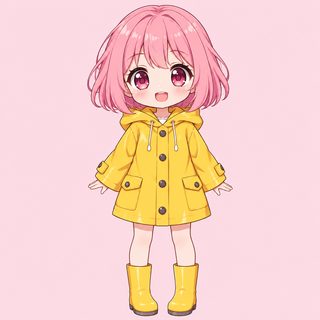
黄色いレインコートのピンク髪のちびキャラがハートを作って揺れる様子
静止した黄色いレインコートのピンク髪のちびキャラ

ハートダンス

12フレーム · 1フレーム150ms · ジェネレーターの設定

ハートのポーズ、揺れ、脈打つ小さなハートが表現され、最初と最後のフレームもつながります。プロンプトにない片足を上げる動きも入りました。

実際に使ったプロンプト
Use my uploaded character as the reference and make a looping GIF of a cute heartbeat dance. She makes a heart shape with both hands, sways left and right, and a small pink heart pulses in front of her. The first and last frames match. Keep her hair, face, and outfit the same in every frame. Keep the camera fixed and the background unchanged. No text.
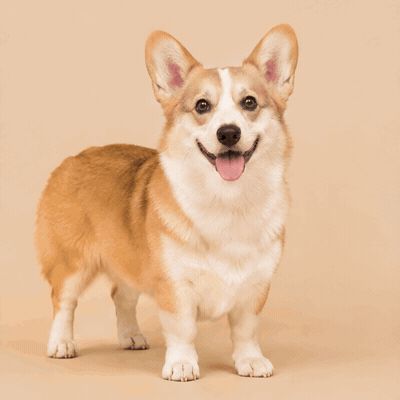
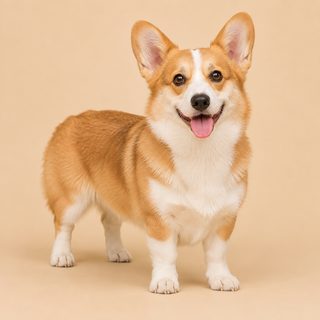
ベージュ背景で左右に弾むコーギー
ベージュ背景の静止したコーギー

犬のダンス

12フレーム · 1フレーム150ms · ジェネレーターの設定

犬の見た目と模様は保たれています。ダンスというより小さく弾む動きなので、大きく動かしたい場合は具体的に書いてください。

実際に使ったプロンプト
Use my uploaded pet photo as the reference and make a looping GIF. The dog does a short happy dance: it bounces left, bounces right, wiggles its body, then returns to its starting pose. Keep the same dog, markings, and proportions in every frame. Keep the camera fixed and the background unchanged. No text.
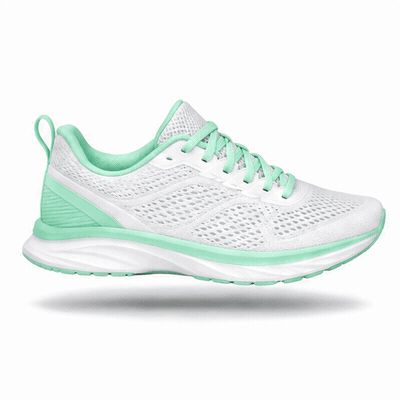
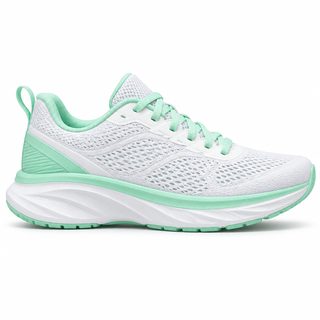
白とミントのランニングシューズが影の上でゆっくり浮かぶ様子
静止した白とミントのランニングシューズ

浮かぶ商品

12フレーム · 1フレーム150ms · ジェネレーターの設定

シューズの形は保たれ、影も一緒に動きます。このシューズはあえてロゴや文字なしにしました。以前のテストで光が通るときにラベルに汚れのような跡が出たため、小さな文字のある商品はよく確認してください。

実際に使ったプロンプト
Use my uploaded product photo as the reference and make a looping GIF. The product gently floats up and down and tilts slightly, with its soft shadow growing and shrinking below it. Keep its shape, colors, and details the same in every frame. White background, fixed camera. No text.
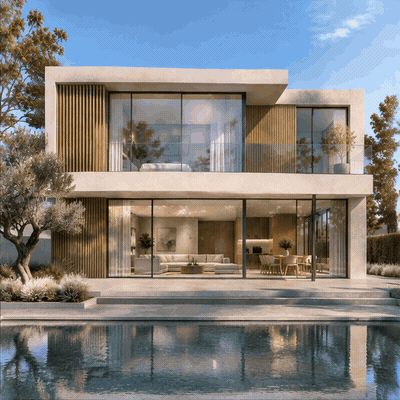
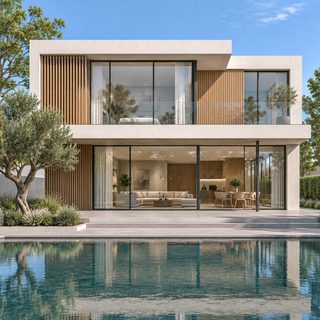
プールのあるモダンな家で、昼から夕暮れ、夜へと光が変わり、また昼に戻る様子
昼間のモダンな白と木の家とプールの静止画像

夕暮れのタイムラプス

12フレーム · 1フレーム150ms · ジェネレーターの設定

昼から夕暮れ、夜へと光が移り、また戻りますが、家はほとんど変わりません。参照画像より寄った構図になり、ファイルもここで最大の1.1 MBです。

実際に使ったプロンプト
Animate my uploaded architectural render as a looping time-lapse GIF. The daylight slowly shifts from midday to a warm golden sunset, shadows lengthen across the house, the windows begin to glow, and the sky colors change, then it eases back to the starting light. The building, trees, pool, and camera position stay exactly the same in every frame. No people. No text.
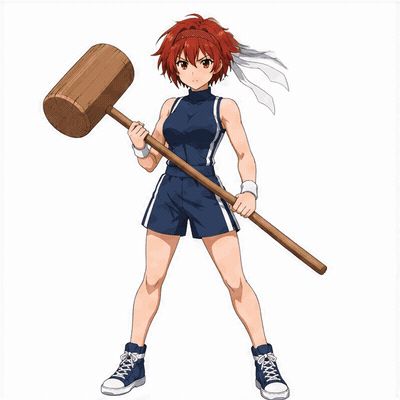
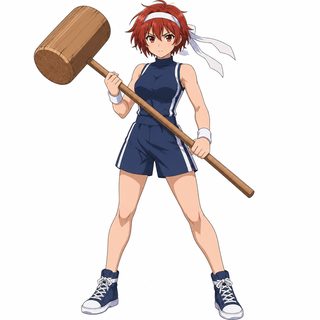
赤髪のアニメ少女が木槌を地面に叩きつけ、BOOM の文字が飛び出す様子
大きな木槌を持って静止する赤髪のアニメ少女

マンガ風インパクト

12フレーム · 1フレーム150ms · ジェネレーターの設定

溜め、ジャンプ、衝撃の流れが分かりやすく、BOOM! の綴りも正確でした。短い単語がいちばん安定します。画面内の文字は使う前に確認してください。

実際に使ったプロンプト
Use my uploaded character as the reference and make a manga-style action GIF. She stands calmly, crouches to gather power, leaps, and slams her mallet into the ground. On impact a huge comic sound-effect word "BOOM!" bursts onto the screen in thick red-orange letters with a heavy black outline, with yellow shock lines, cracks, and flying rock debris. The word bounces once, the effects fade, and she returns to her starting pose. Keep her face, hair, outfit, and proportions the same in every frame. Pure white background, fixed camera, full body visible. The only text is "BOOM!", spelled correctly.
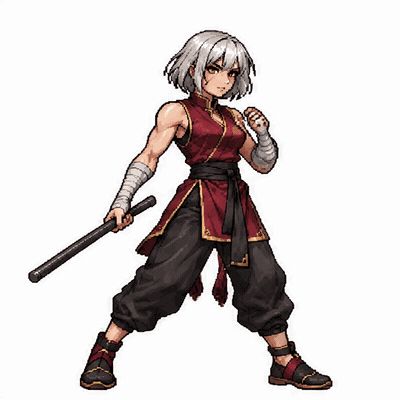
ピクセルアートの武闘家が鉄棒を振り、深紅のエネルギーの斬撃を放つ様子
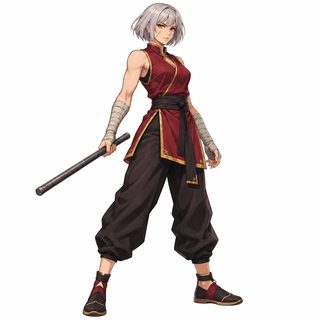
深紅のトップスを着て鉄棒を持つ、静止状態の銀髪の武闘家

ピクセルアートの必殺技

12フレーム · 1フレーム150ms · ジェネレーターの設定

プロンプトは原文のままで、今回いちばん良い結果でした。溜め、攻撃、振り抜き、構えへの復帰がはっきり分かります。髪、服、腕の布、鉄棒も保たれています。斬撃は途中で白から深紅に変わります。

実際に使ったプロンプト
Use the character I uploaded as the reference and make a downloadable looping pixel-art GIF of them performing a signature move.

[Keep the character consistent]
Study the reference and keep every key feature: hairstyle and hair color, face and eye color, marks or scars, outfit colors and patterns, accessories, and their weapon or prop. Same proportions and same look in every frame.

[Pixel art style]
Highly detailed HD pixel art, like premium 2D fighting game sprites: crisp hard-edged pixels, rich palette with pixel shading and highlights, visible fabric folds and hair strands, no anti-aliasing. Full body, side 3/4 view, same size and same ground line in every frame.

[Design the move]
Make it a short, punchy attack: ready stance -> wind-up -> strike -> follow-through -> back to ready. Add an elemental or energy effect rendered as pixel art. First and last frame match so it loops seamlessly.

[Output]
Pure white background, fixed camera, character centered with enough margin. No text. About 12 frames, 1.5–2 seconds, infinite loop. Deliver an actual multi-frame GIF file I can download.
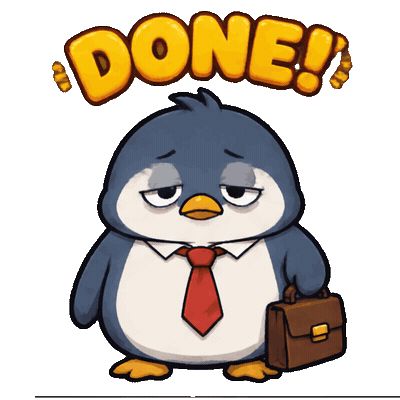
疲れた会社員ペンギンが急に元気になり、カバンを掲げる様子。上に DONE の文字
赤いネクタイとカバンを持って静止する疲れたペンギン

退勤ペンギン

12フレーム · 1フレーム150ms · ジェネレーターの設定

疲れから喜びへの変化が分かりやすく、文字も同じ位置に保たれています。白背景を指定しましたが透明背景で生成されたため、ここでは白地に表示しています。

実際に使ったプロンプト
Use my uploaded character as the reference and make a looping sticker GIF. The tired penguin slumps, looks at its wrist, suddenly perks up, and throws its briefcase and both flippers in the air with joy, then settles back to its starting pose. Exaggerate the change of expression. Show the caption "DONE!" at the top in bold rounded letters; the caption stays in the same place in every frame. Keep the penguin's shape, colors, and necktie the same in every frame. Plain white background, fixed camera.
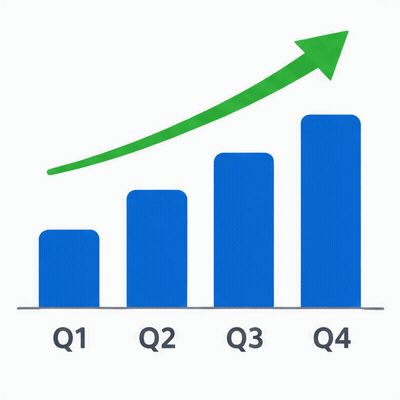
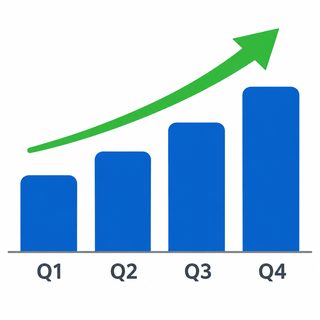
4本の青い棒が順に伸び、その上に緑の矢印が描かれる様子
緑の矢印と Q1〜Q4 のラベルが付いた静止した青い棒グラフ

成長グラフ

12フレーム · 1フレーム150ms · ジェネレーターの設定

棒は順番に伸び、Q1〜Q4 のラベルも正確なままです。ループの最初と最後は空のグラフなので少し止まって見え、終わり近くで棒がわずかに変形します。

実際に使ったプロンプト
Animate my uploaded bar chart as a looping GIF. The four blue bars grow one after another from the baseline to their full height, then the green arrow draws itself upward above them, holds briefly, and everything eases back to the empty baseline to loop. Keep the same layout, colors, and the labels Q1 Q2 Q3 Q4 fixed and spelled correctly in every frame. Fixed camera, white background. No other text.
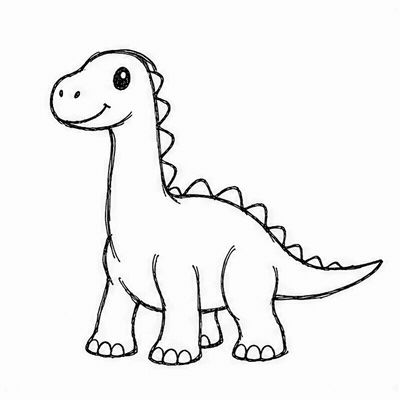
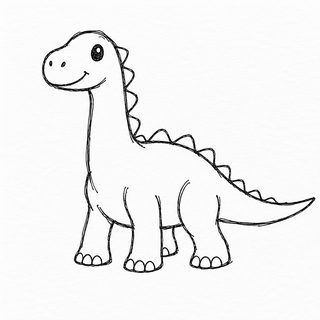
手描きのインク線の恐竜が尻尾を振り、頭を動かし、まばたきする様子
白い紙に描かれた静止した手描きの恐竜

線画の恐竜

12フレーム · 1フレーム150ms · ジェネレーターの設定

インクの線と白い紙の質感は保たれています。動きは小さめで、指定していない動きの線が少し追加されました。

実際に使ったプロンプト
Animate this sketch as a seamless looping GIF. The little dinosaur wags its tail, bobs its head, and blinks once, then returns to its starting pose. Keep the hand-drawn black ink lines and the plain white paper with a slight line wobble. Same character in every frame, fixed camera. No color, no shading. No text.
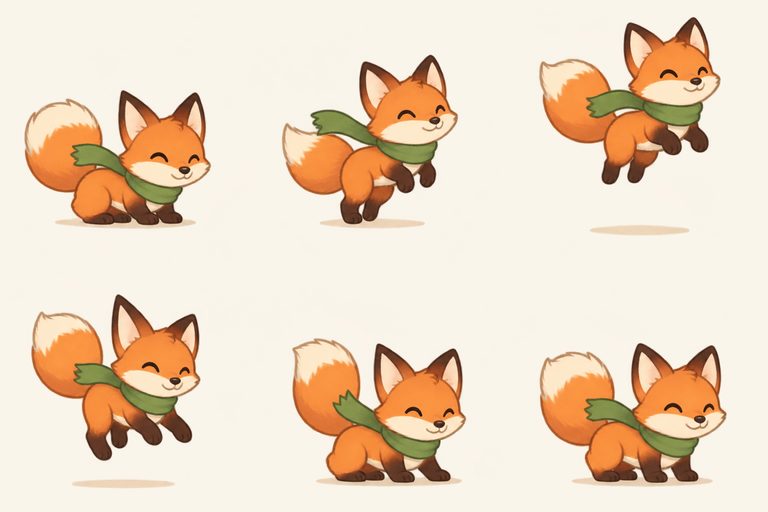
緑のスカーフを巻いたオレンジ色のキツネが、クリーム色の背景で小さく跳ねる様子
3列2行に並んだ、跳ねるキツネの6フレーム

6フレームのスプライトシート

6フレーム · 1フレーム130ms · ジェネレーターでは作成していません

これは別の手順が必要です。ジェネレーターが作るのはGIFで、スプライトシートは作れません。別のツールで静止画を作り、フレームを切り出して組み立ててください。最後の2フレームでキツネが少し大きくなるため、ループに小さな飛びがあります。

実際に使ったプロンプト
Create a sprite sheet for a looping GIF of a small orange fox in a green scarf doing one small action: a happy hop. Beats: crouch, push off, top of the hop, coming down, landing squash, settle. Exactly six frames, three by two. Same camera, same character at the same size, same flat pale cream background with nothing else in it. Sixth frame leads back to the first. No text, no borders.

GPT Image 2.6でGIFを作る方法

  1. ステップ 1

    画像を1枚アップロード

    商品、マスコット、キャラクターなど、15 MBまでのJPG、PNG、WebPが使えます。GIFの比率は画像に合わせます。

  2. ステップ 2

    小さな動きを書く

    作例のプロンプトを選ぶか、自分で書きます。元に戻る短い動きを選び、変えない要素を挙げ、文字を入れないよう指定します。

  3. ステップ 3

    生成してダウンロード

    1回約30秒で、8クレジットを使います。動きを確認してGIFをダウンロードします。動きが弱ければ、プロンプトを書き直してもう一度試してください。

GPT Image 2.6 GIFジェネレーターでできること

画像とプロンプトをGPT Image 2.6(gpt-image-2.6-flare)に送り、ループするアニメーションGIFを返します。12フレームで1フレーム150ms、1ループは1.8秒です。長辺は640 pxで、短辺は画像の比率に合わせます(最大3:1)。

全フレームで1枚分の画像予算を共有するため、GIFの1フレームは静止画よりかなり小さくなります。ラベルの小さな文字などの細部は、ぼやけたり汚れたように見えたりします。検証ではlow品質はmediumより約43%安く、このサイズでは見た目が近かったため、low品質に固定しました。

プロンプトは書き換えずにそのまま送ります。検証したのは英語のプロンプトです。

短いループに向く動き

カメラを固定した、小さく元に戻せる動き。手振り、小さなジャンプ、元の位置で終わる短い攻撃などです。

できないこと

  • テキストだけではGIFを生成できません。画像のアップロードが必要です。
  • 無料の実行や、フレーム数と品質の変更はありません。GIFはすべて12フレームのlow品質で、アカウントのクレジットが必要です。
  • 結果は保証されません。同じプロンプトでも動きは毎回変わります。クレジットが返却されるのは実行に失敗した場合のみで、結果が気に入らない場合は返却されません。

さらに調整したいときは

仕上がりに満足できたらそのまま保存できます。さらに拡大したい、背景を広げたいなどの調整があれば、続けて使えます。

GPT Image 2.6 GIFのよくある質問

すべてのツール