 lumenfix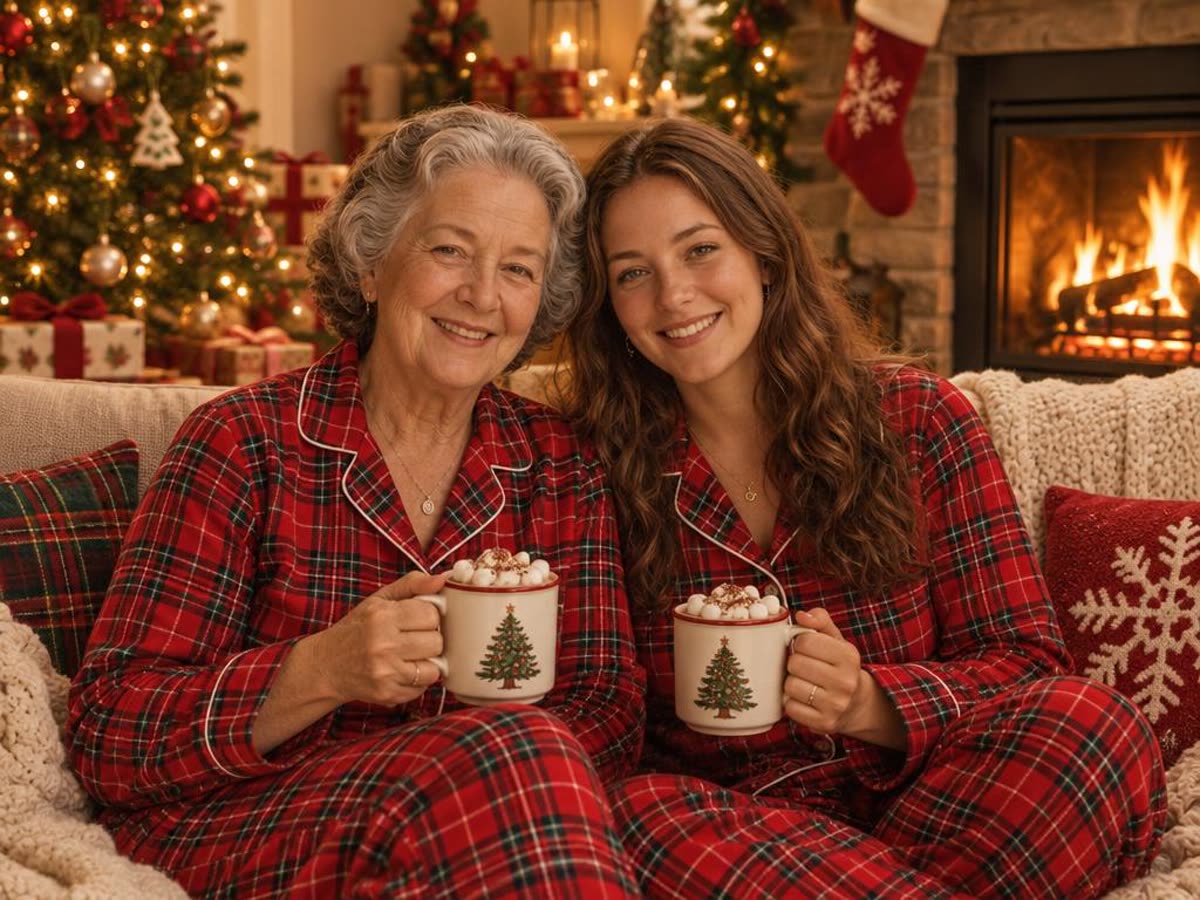
昨年 12 月、「AI クリスマス写真」が SNS で大流行しました。自撮りを ChatGPT にアップロードし、「Create an ultra-realistic 8K Christmas portrait」のようなプロンプトを貼り付けると、着たこともないセーター姿でツリーの前に立つ自分の写真ができあがります。ネット上のプロンプト集の多くは文章だけです。私たちは、それぞれのプロンプトが実際の顔をどう変えるのかを確かめたいと考えました。
そこで 2 枚の写真で 8 つのプロンプトを試しました。1 枚はひとりのポートレート、もう 1 枚は母娘の写真です。下の画像はすべて実際の結果です。ChatGPT アプリではなく、API 経由で OpenAI の GPT Image 2.5 モデルを使って実行したので、ChatGPT での結果とは異なる場合があります。また、毎回少しずつ違う結果になります。
プロンプトは英語のまま載せています。私たちが試したのは英語版です。日本語でも書けますが、その結果は試していません。
プロンプトを書きたくない場合は、最後のプロンプトなしで作る方法へどうぞ。
ChatGPT でのプロンプトの使い方
- ChatGPT を開き、はっきりした写真を 1 枚添付します。顔にピントが合い、小さすぎないものを選んでください。
- このページのプロンプトを 1 つ貼り付けます。最後の「顔を保つ一文」は残してください。
- 顔やポーズがおかしいときは、プロンプトを書き直す前にもう一度生成してもらいます。
- 結果をダウンロードし、投稿する前に元の写真と比べてください。
どのプロンプトにも足せる「顔を保つ一文」
下のプロンプトはすべてこの一文で終わります。これは、あなたの見た目をできるだけ保つようモデルに頼む部分です。ほかで見つけたクリスマスのプロンプトにも足してみてください。
Keep the same face, facial features, skin tone, hair and age as in the uploaded photo.2 人以上の場合はこちらを使います。
Keep both people exactly as they look in the uploaded photo: the same faces, facial features, skin tone, hair and age.私たちのテストでは、この一文を入れると顔はおおむね保たれました。ポーズはそうとは限りません。ツリーの飾り付けのように動作を書いたプロンプトでは、人物の配置が変わります。
ひとりのクリスマスポートレート用プロンプト

ひとり用の 4 つのプロンプトには、この写真を使いました。
1. 話題の 8K クリスマスポートレート
Create an ultra-realistic 8K Christmas portrait of the person in this photo, shot on a 55mm lens with bright, playful holiday lighting. Warm Christmas tree lights and soft bokeh in the background, a cozy knit sweater, natural smile. Keep the same face, facial features, skin tone, hair and age as in the uploaded photo.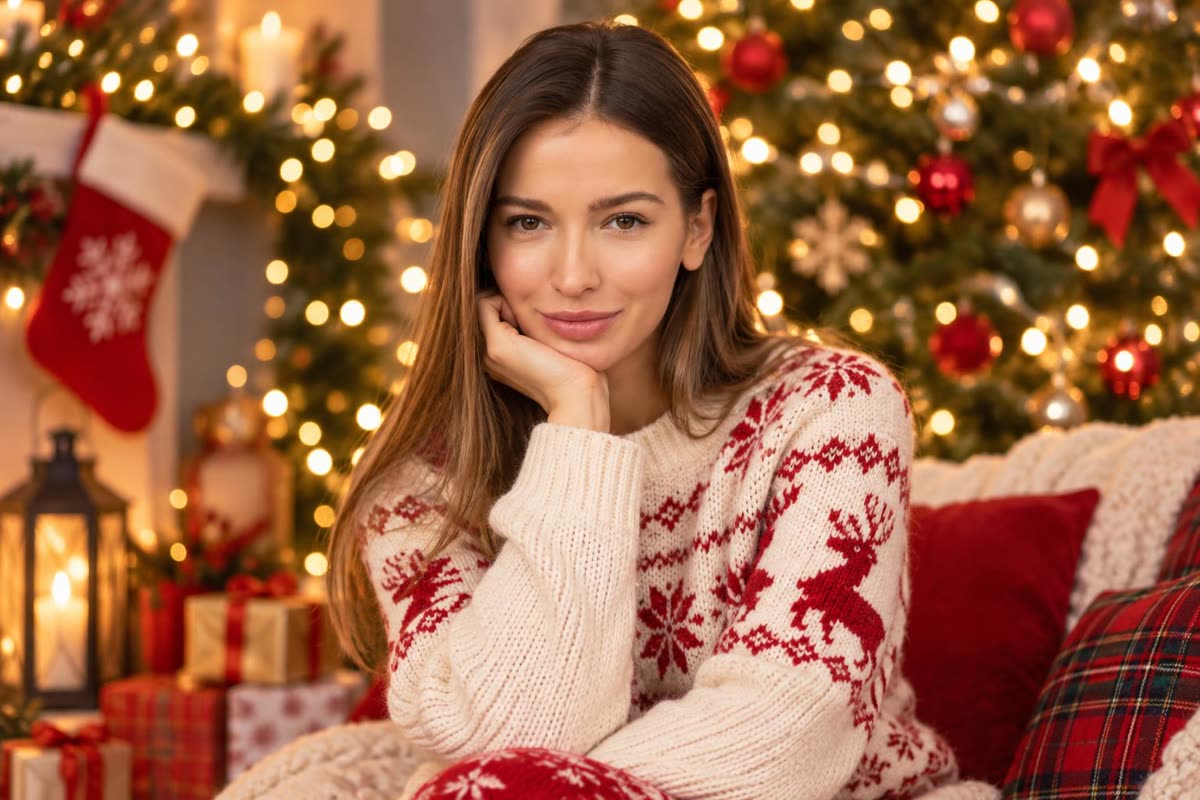
顔は保たれましたが、ポーズは変わり、ソファで頬杖をつく姿になりました。昨年いちばん多くコピーされたプロンプトで、スタジオ写真よりもリビングで撮った写真のような仕上がりです。
2. キャンディケインのワンダーランド
Create a glossy, playful Christmas portrait of the person in this photo in a candy cane wonderland: giant red-and-white candy canes, a cream wool coat, soft falling snow and warm string lights, bright studio-style lighting. Keep the same face, facial features, skin tone, hair and age as in the uploaded photo.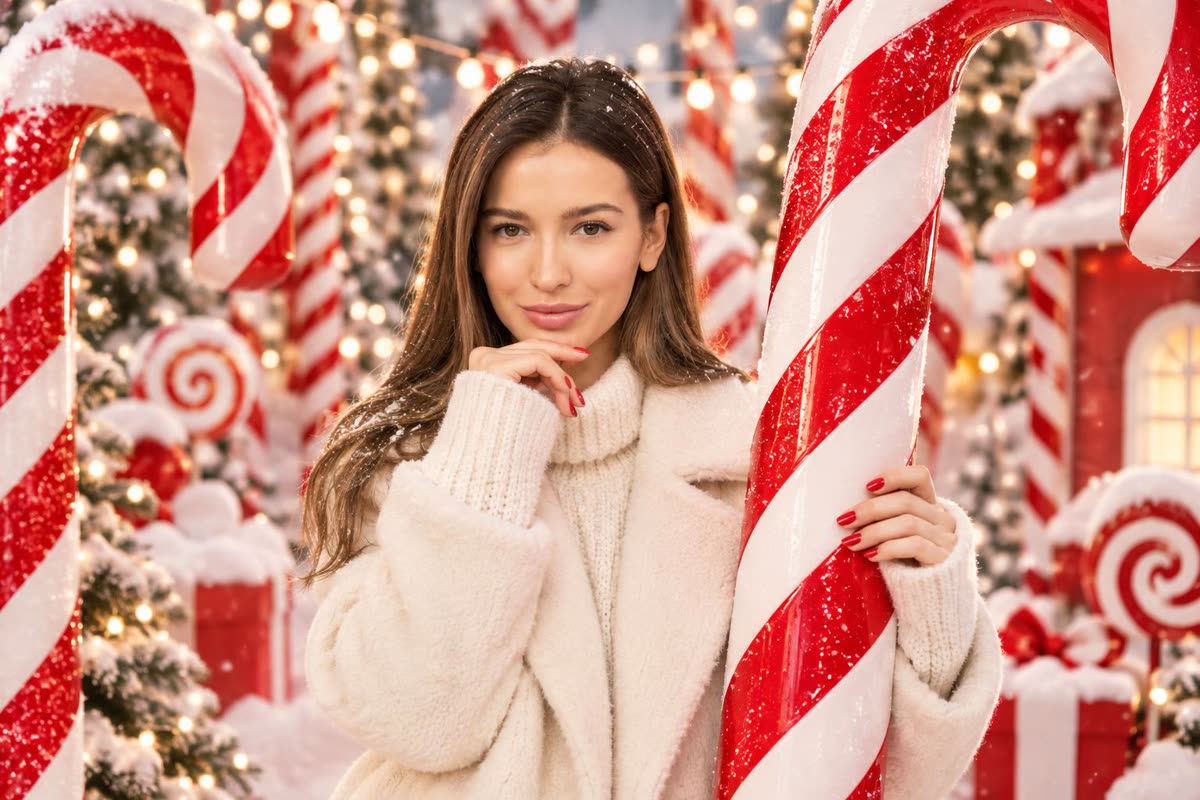
キャンディケインは昨年話題になったスタイルのひとつです。元のあごに手を添えるポーズのまま、巨大なキャンディケインを手にしています。
3. スパンコールのパーティーポートレート
Turn this photo into an elegant Christmas studio portrait: a sparkly sequin party outfit, a deep red backdrop with gold bokeh lights, soft glamorous lighting. Keep the same face, facial features, skin tone, hair and age as in the uploaded photo.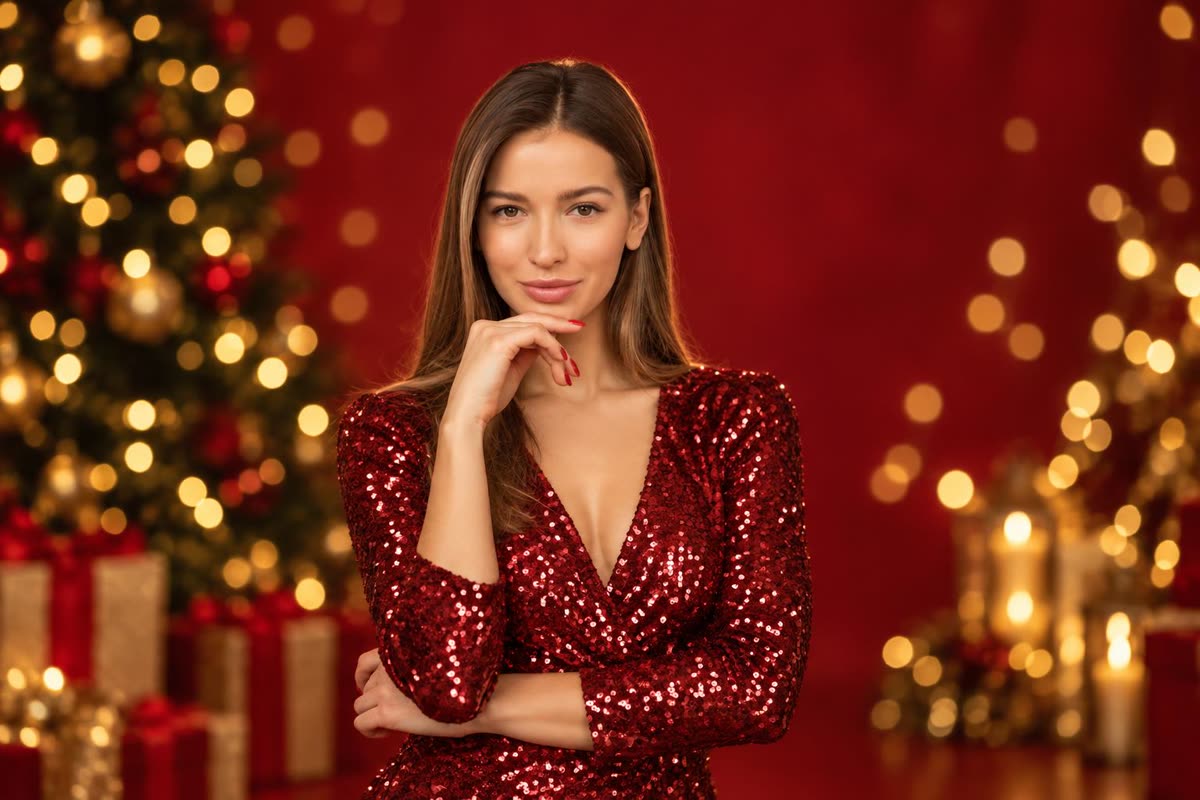
いちばん元の写真に近い結果です。ポーズも構図も同じで、服装と背景だけが変わりました。プロフィール写真に向いています。
4. 雪の夜の街角
Place the person in this photo on a snowy city street at night at Christmas: falling snow, shop windows glowing with warm lights, a long wool coat and a scarf, cinematic 35mm film look. Keep the same face, facial features, skin tone, hair and age as in the uploaded photo.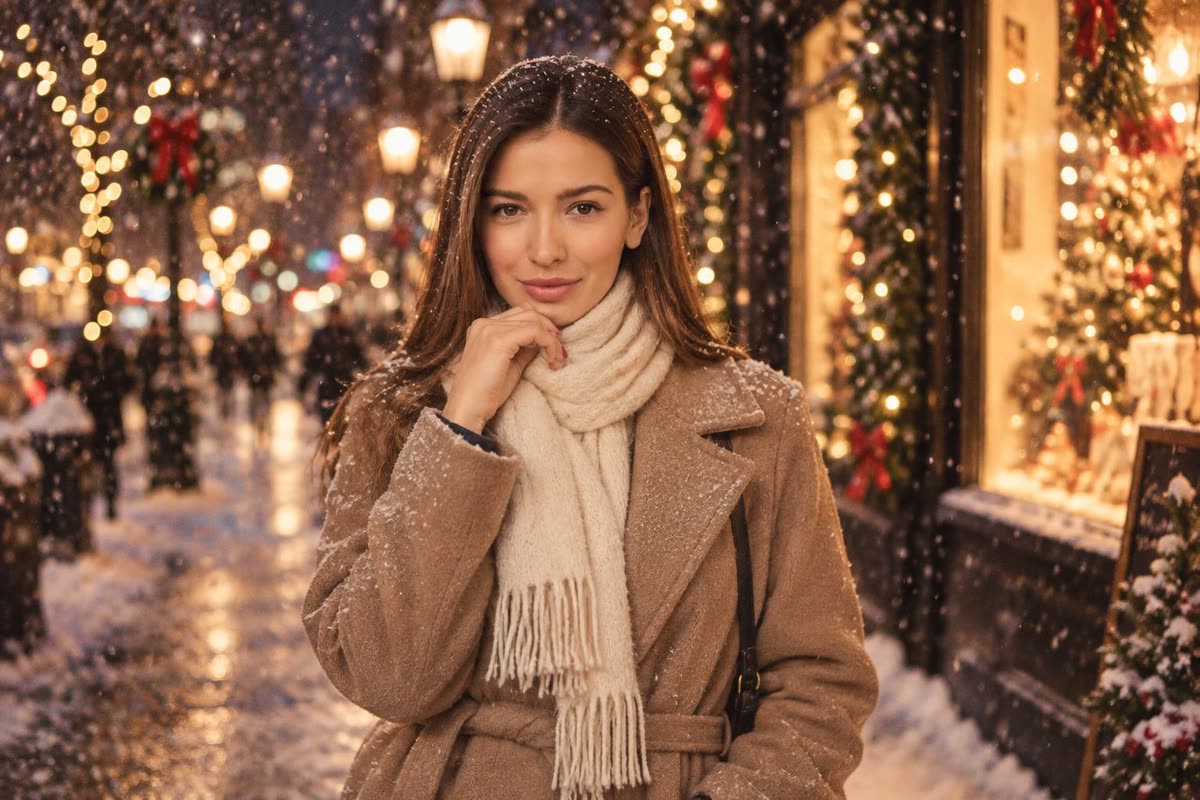
「cinematic」という言葉で、浅い被写界深度の映画のような背景になりました。顔とポーズは元の写真に近いままです。
カップル・家族のクリスマス写真プロンプト
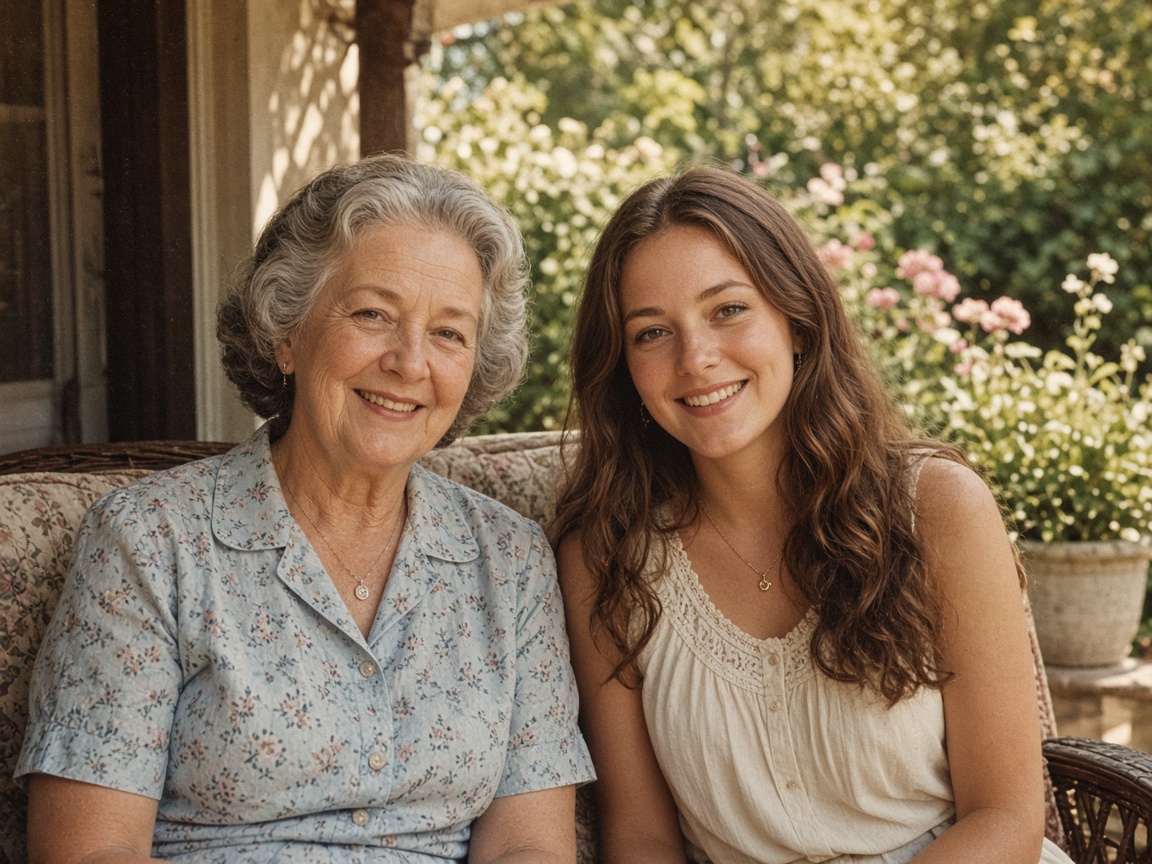
2 人用の 4 つのプロンプトには、この写真を使いました。
5. 1960 年代のレトロなクリスマスカード
Turn this photo into a 1960s Christmas card photograph: faded film colors, soft grain, a tinsel Christmas tree and wrapped presents behind them, a white card border, both people in 1960s holiday clothes. Keep both people exactly as they look in the uploaded photo: the same faces, facial features, skin tone, hair and age.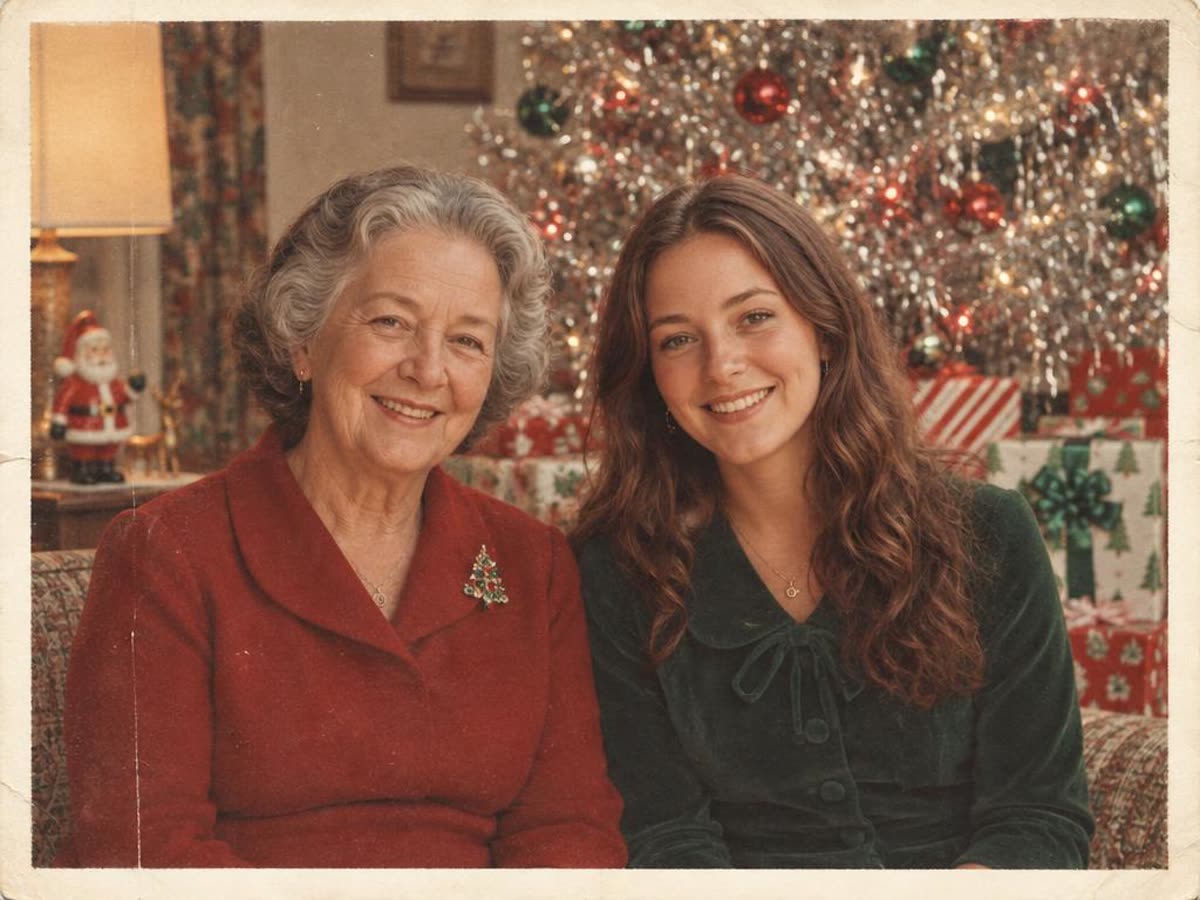
2 人とも顔は元に近いままです。ティンセルツリー、色あせた色調、白い縁取りが時代の雰囲気を出しています。
6. 暖炉のそばでおそろいのパジャマ
Place the two people in this photo together on a sofa by a crackling fireplace on Christmas morning, wearing matching red plaid Christmas pajamas and holding mugs of cocoa, warm cozy light. Keep both people exactly as they look in the uploaded photo: the same faces, facial features, skin tone, hair and age.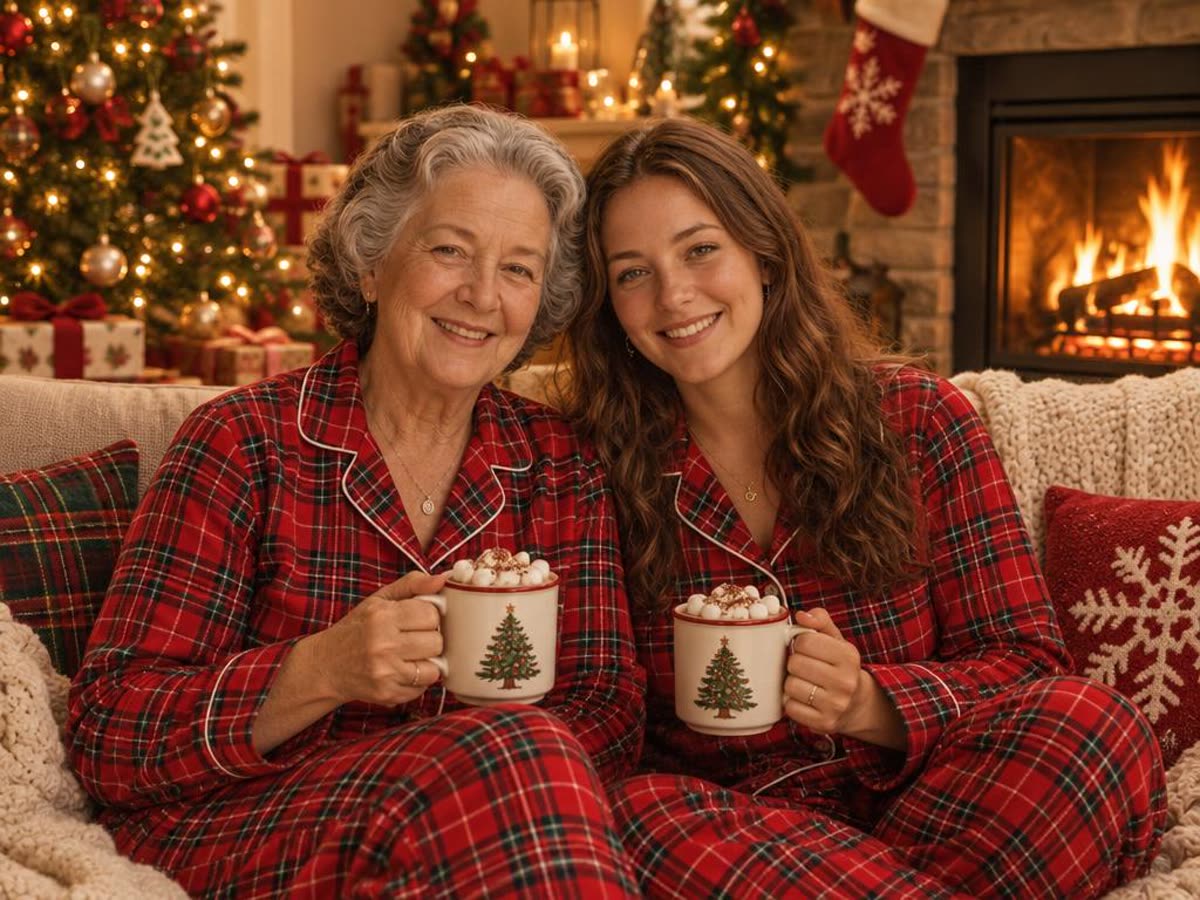
おそろいのパジャマは定番の家族写真のアイデアです。マグカップや手もきれいに描かれていました。
7. ツリーの飾り付け(スナップ風)
Turn this photo into a candid Christmas photo of the two people decorating a Christmas tree together and laughing, warm living-room lights, natural documentary style. Keep both people exactly as they look in the uploaded photo: the same faces, facial features, skin tone, hair and age.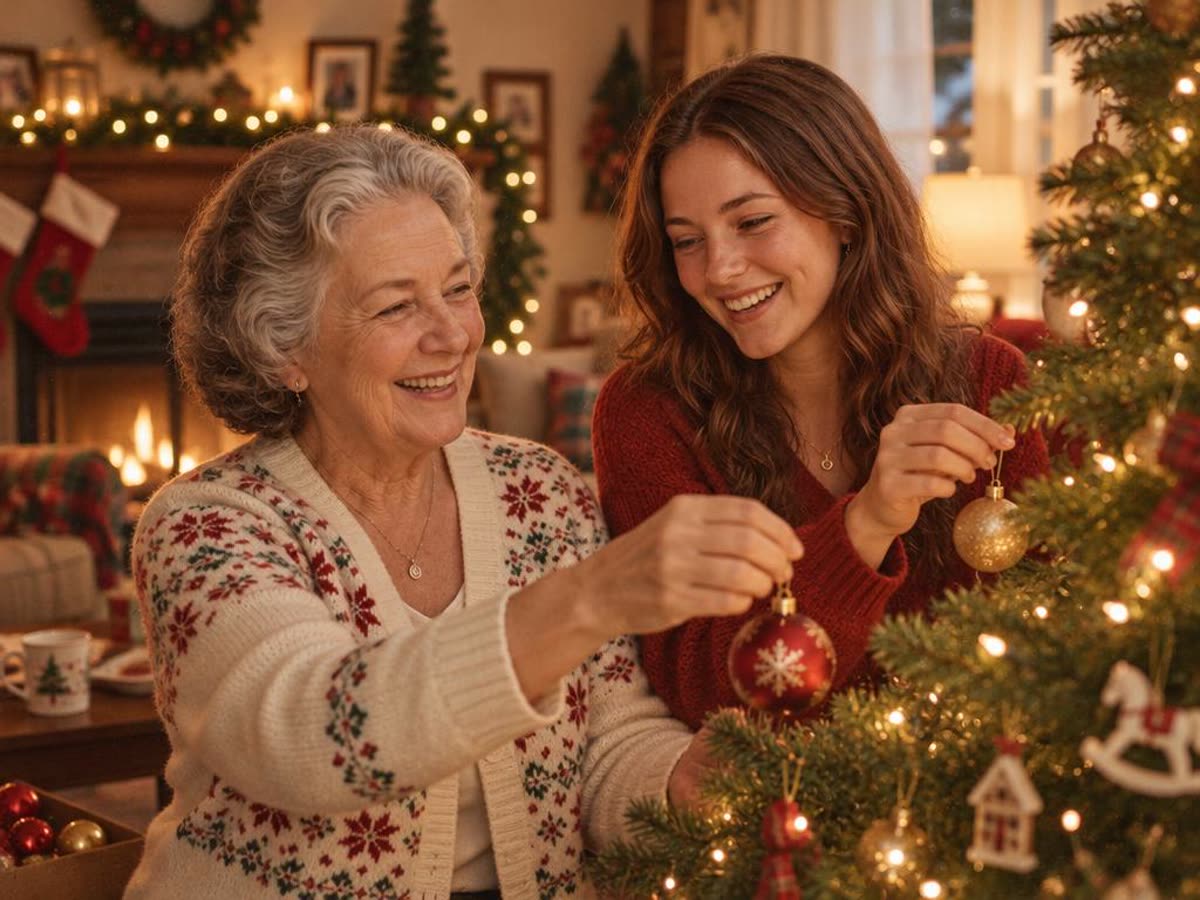
人物がいちばん大きく変わったプロンプトです。2 人がツリーの方を向き、顔の角度が変わりました。同じ 2 人だとわかりますが、よく確認してください。
8. 「Merry Christmas」入りのカード
Turn this photo into a Christmas card: the two people in festive knit sweaters in front of a snowy log cabin with warm windows, with the words "Merry Christmas" in elegant gold lettering across the top. Keep both people exactly as they look in the uploaded photo: the same faces, facial features, skin tone, hair and age.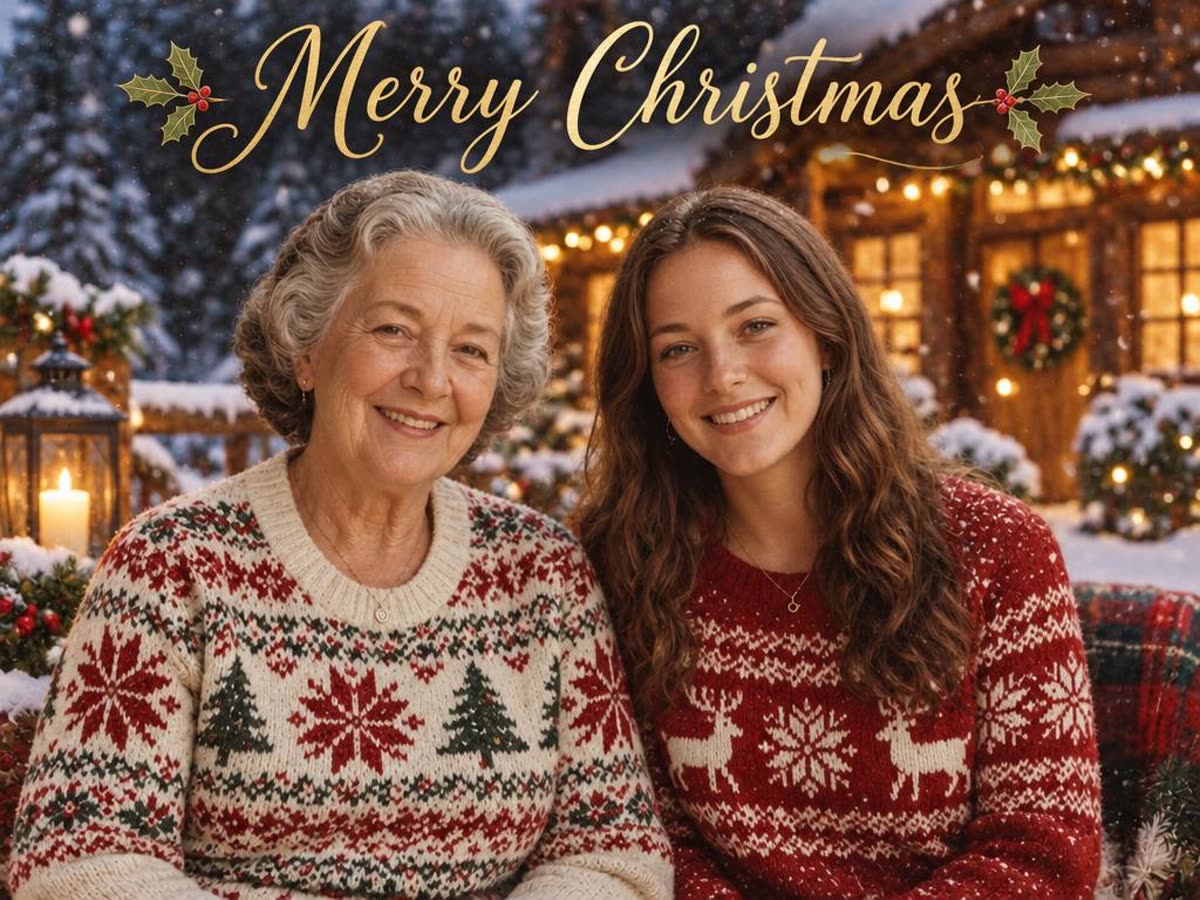
今回の結果では文字のつづりは正しく出ました。ただし画像モデルはまだ文字を間違えることがあるので、50 枚印刷する前に読んで確認してください。
期待できること
- 顔はおおむね保たれる。 「顔を保つ一文」を入れると、2 枚の写真とも 8 つのプロンプトすべてで顔が判別できました。大人数の集合写真の小さな顔は難しいので、先にトリミングしてください。
- ポーズは変わる。 動作を書いたプロンプトでは、人物の配置が変わります。元のポーズを残したいなら、人物が何をしているかではなく、場面と服装だけを書いてください。
- 毎回結果は違う。 うまくいかないときは、プロンプトを書き直す前にもう一度生成してください。
- 文字は確認が必要。 カードの文字は間違うことがあります。必ず読んでください。
- 古い写真。 傷や色あせのある写真は、その傷みが新しい画像にも残ります。先に修復してから、ここや ChatGPT で使ってください。
プロンプトなしで作る方法
プロンプトを書きたくない場合は、Lumenfix の AI クリスマス写真メーカーなら、よくある用途を 2 つのボタンで済ませられます。「クリスマスツリー」か「雪景色」を選んで写真を 1 枚アップロードすると、同じ人物がお祝いの服装でその場面に入ります。毎日の無料クレジットで使え、結果に透かしは入りません。上のプロンプトよりスタイルは少ないですが、何も書く必要はありません。
大きく印刷したりカードにしたりするなら、そのあと画像拡大で拡大してください。